







































































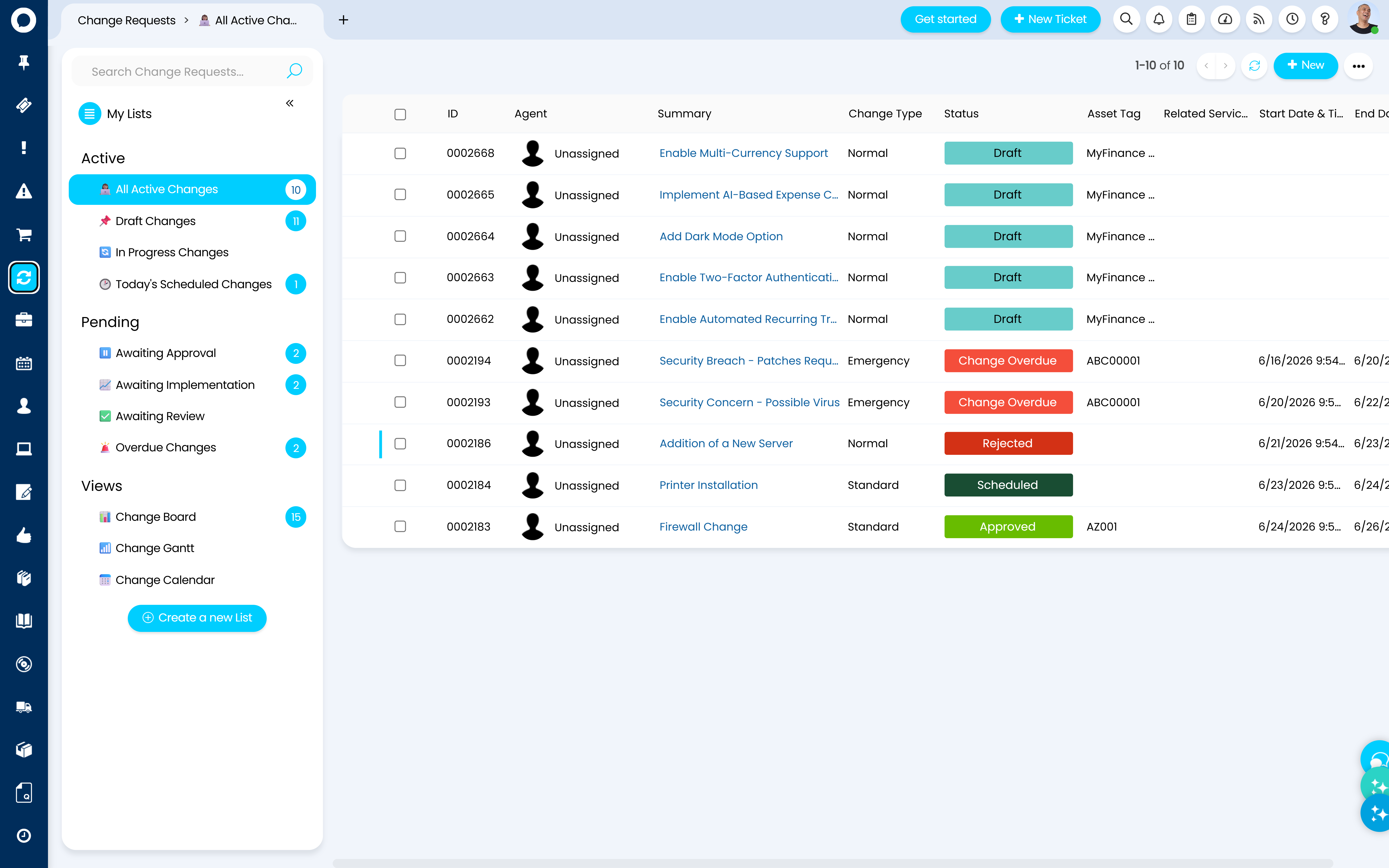











A structured process for every type of change
Not all changes carry the same risk. Halo Change Management supports standard, normal and emergency change workflows, each with the appropriate level of governance, approval and documentation for its risk profile. Standard changes follow pre-approved, low-risk processes with minimal overhead. Normal changes go through full CAB review with risk assessment and impact analysis. Emergency changes follow an accelerated, documented process for critical fixes that cannot wait. Every change gets the right process, every time

Risk and impact assessment built in
Every change request in Halo requires a risk assessment and impact analysis before it proceeds to approval. Halo guides the requestor through a structured assessment covering technical risk, business impact, affected services, rollback plan and implementation resource. The CMDB relationship map shows which configuration items, services and users will be affected. Approvers make decisions with complete, accurate information, not assumptions.

CAB workflows without the administration overhead
The Change Advisory Board process in Halo is structured, efficient and fully automated. CAB members are notified automatically when changes are ready for review, agendas are generated from the change queue, votes are recorded digitally and decisions are captured in the change record without manual administration. The CAB process delivers rigorous governance without the overhead that makes change management a bottleneck rather than a safeguard.

A change calendar that gives the whole organisation visibility
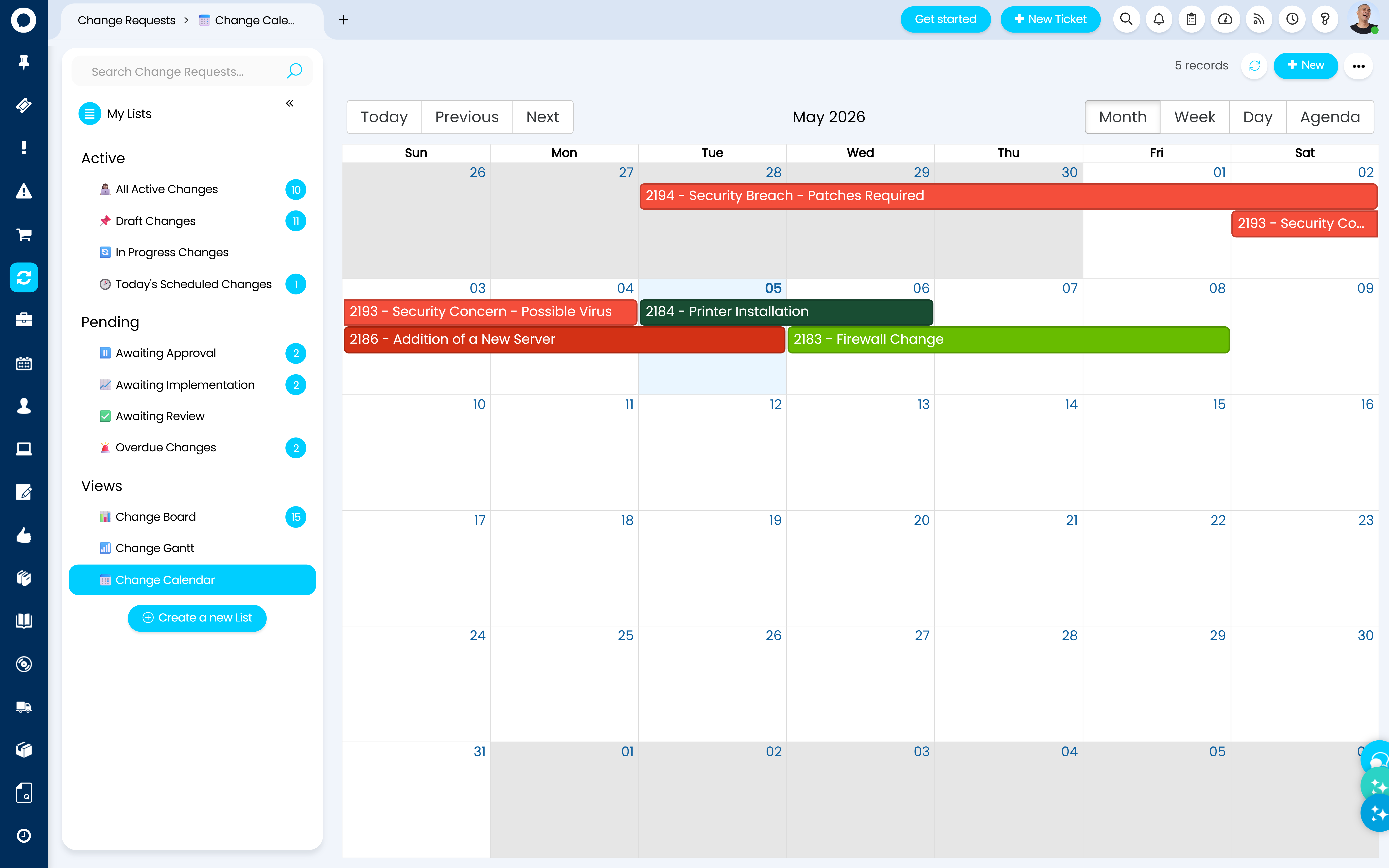
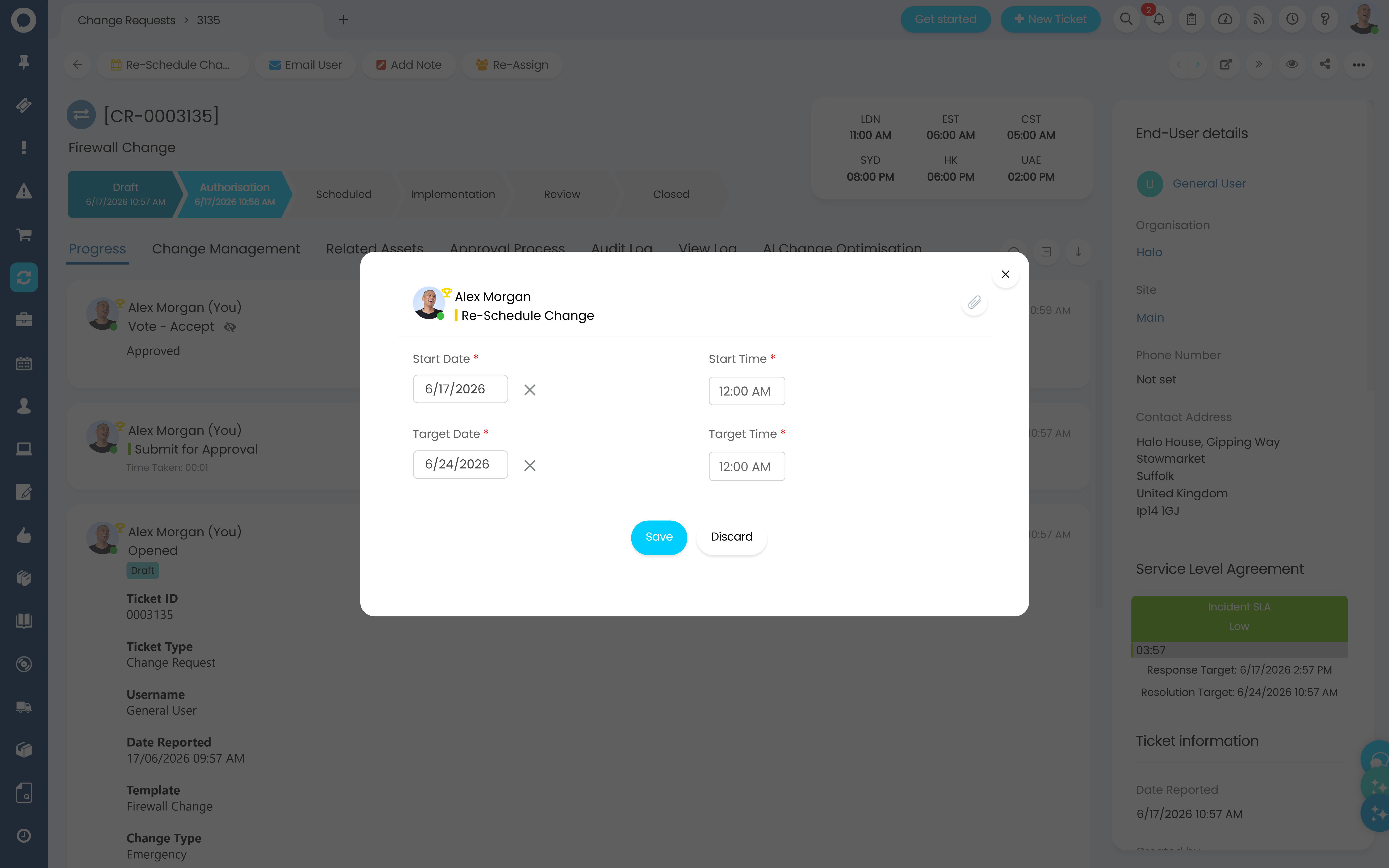
Halo change calendar gives every stakeholder a clear view of every approved, scheduled and in-progress change across the environment. Conflicts between concurrent changes are surfaced before implementation. Blackout periods protect critical business periods from disruptive changes. Service owners can see what is planned for their systems. Operations teams know what is being deployed and when.

Connected to incidents, problems and assets
Every change in Halo is connected to the incidents and problems it was raised to resolve, the assets and configuration items it will affect, and the service requests it fulfils. When a change is implemented, linked records are updated automatically. If an implemented change generates new incidents, the relationship is captured immediately. The full context of every change is always visible.
Standard, normal and emergency change workflows
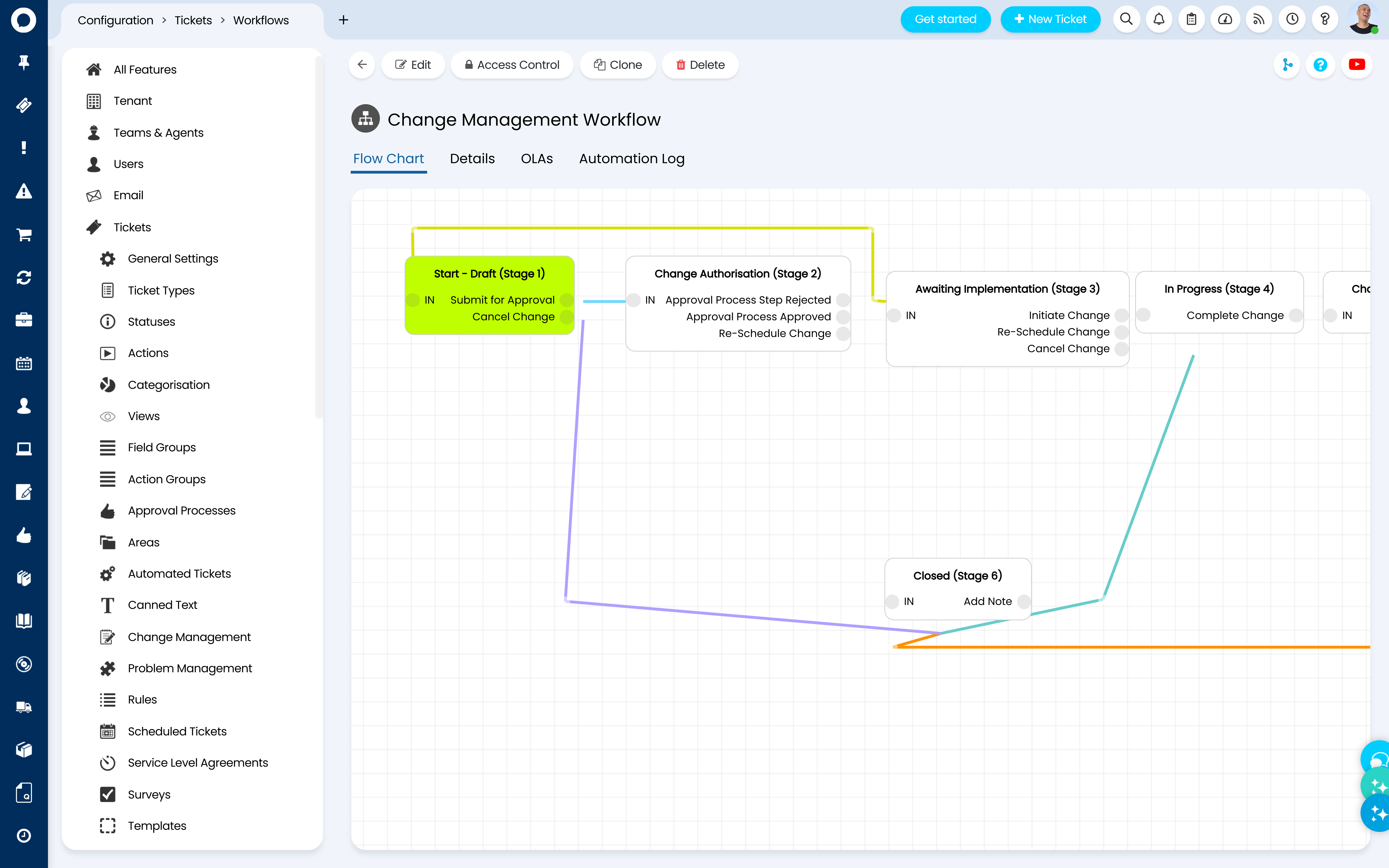
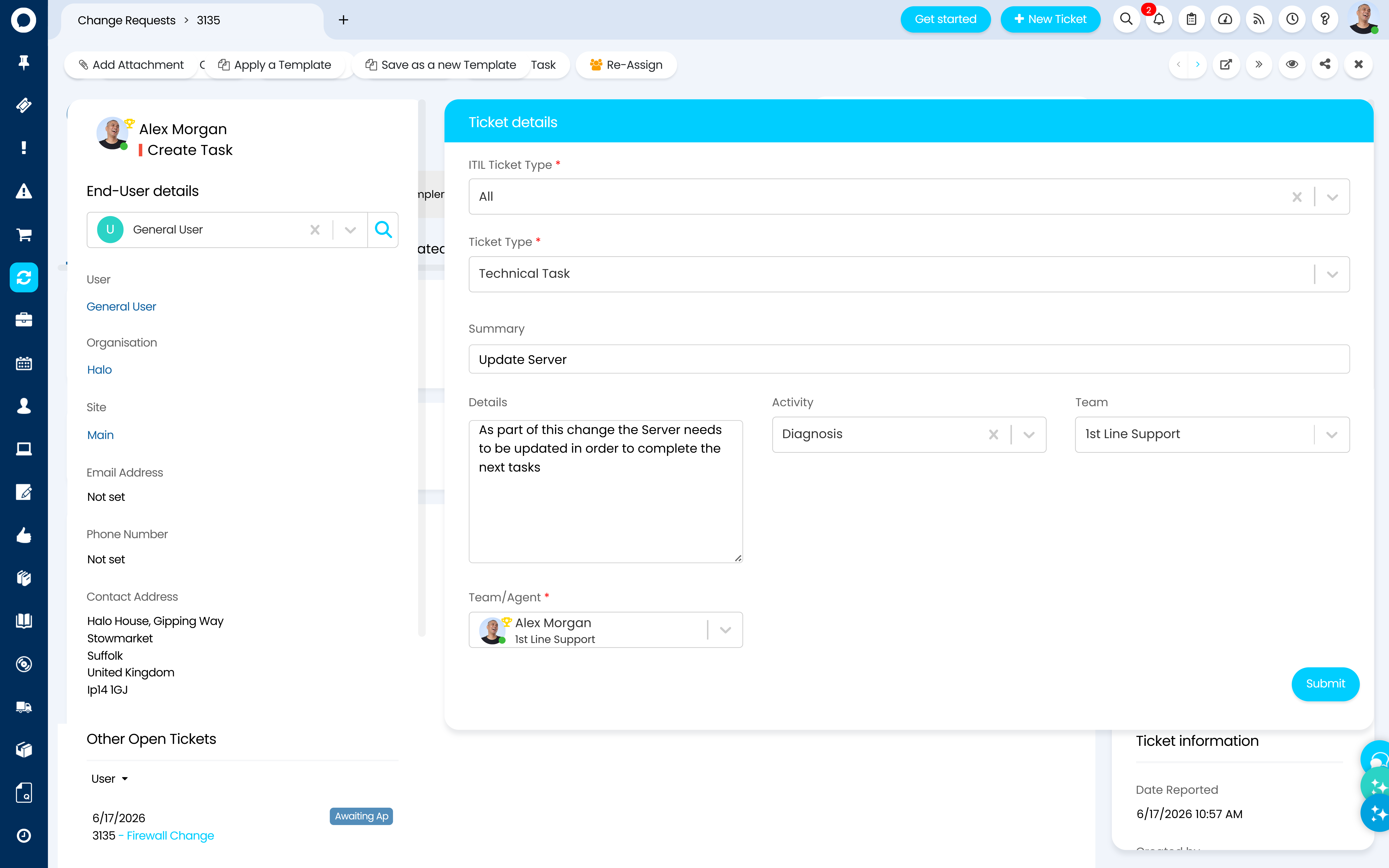
Halo supports separate workflow templates for standard, normal and emergency changes, each configured with the appropriate approval steps, risk assessment requirements and documentation standards. Standard changes follow automated, pre-approved processes. Normal changes route through full CAB review. Emergency changes follow an accelerated documented process. Every change type is governed appropriately without applying unnecessary overhead to low-risk activities.
Risk assessment and impact analysis
Every change request in Halo includes a structured risk assessment and impact analysis stage, guided by configurable templates that capture technical risk, business impact, affected services, rollback plan and implementation resource requirements. CMDB integration surfaces the relationship map of affected configuration items automatically, giving approvers and the CAB complete, accurate information before any decision is made.
Change calendar and conflict detection
Halo change calendar provides a visual, filterable view of every approved, scheduled and in-progress change across the environment. Automated conflict detection highlights changes scheduled concurrently that affect the same services or infrastructure components. Blackout periods can be defined to protect critical business periods from disruptive changes.
Implementation task management
When a change is approved, Halo creates the implementation task list automatically based on the change template. Tasks are assigned to the relevant team members with due dates, instructions and dependencies defined. Progress is tracked in real time within the change record, with the change manager maintaining full visibility of implementation status without needing to chase individuals for updates.
Rollback planning and documentation
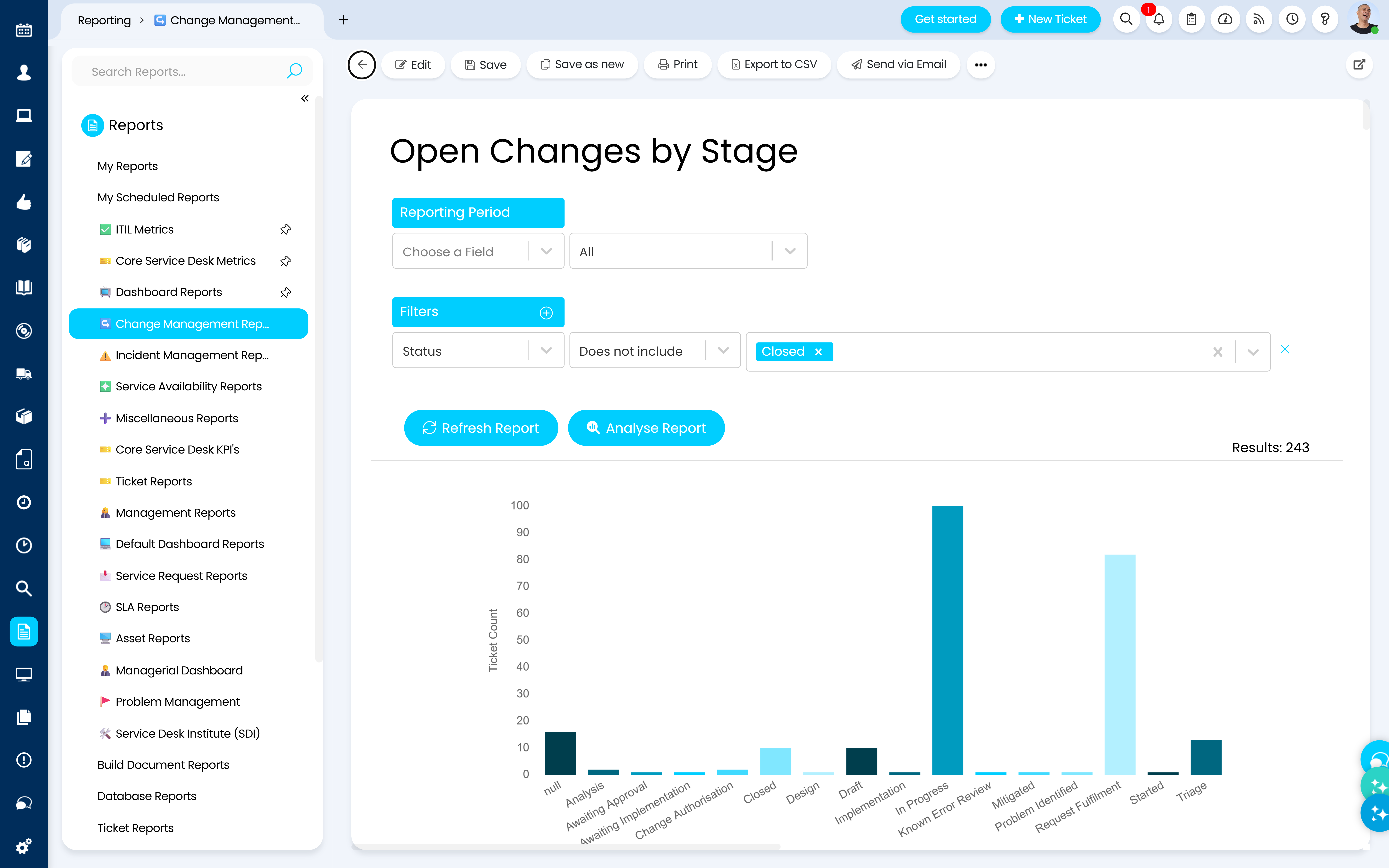
Halo provides a complete suite of change management reports, covering change volumes by type, risk and status, CAB throughput, implementation success rates, failed and backed-out changes, and the relationship between changes and post-implementation incidents. Trend reporting identifies where change processes are creating risk or bottlenecks.
Change reporting and performance metrics
When an incident occurs or a change is planned, Halo CMDB impact analysis shows instantly which services, applications and users are affected based on the dependency relationships of the affected configuration items. Incident responders understand the full scope of impact immediately. Change requestors see exactly what their change will affect before submitting it for approval.
Customer Story
From ServiceNow to HaloITSM: How inlumi Gained Efficiency, Flexibility, and Cost Savings
As inlumi grew, they needed an ITSM solution that could keep pace. Frustrated by rising costs, complex customisation, and declining support with ServiceNow, they made the switch to HaloITSM.
See Customer Story
30%
Reduction in licensing costs

ITIL 4 aligned change enablement
Halo Change Management is built on the ITIL 4 change enablement framework, covering change request management, risk assessment, CAB governance, implementation management and post-implementation review in a structured, best-practice process ready to use from day one.

Reduces risk without creating bottlenecks
Halo Change Management applies the right level of governance to each change type, ensuring that low-risk standard changes move quickly while higher-risk normal and emergency changes receive appropriate scrutiny. Change management becomes a safeguard, not a barrier to progress.
Connected to your full service management environment
Every change in Halo is connected to incidents, problems, assets and service requests within the same platform. The full context of why a change was raised, what it will affect and what happened after it was implemented is always visible.

Fully auditable for compliance and governance
Every action, approval, vote, decision and status change across every change record is captured in a tamper-proof audit trail. Complete change documentation is always available for internal audits, regulatory reviews and quality management system certification.

Configured by your team for your processes
Change types, risk assessment templates, approval workflows, CAB membership, blackout periods and implementation task templates are all configured through Halo no-code interface by your own administrators, without developer resource or external consultants.


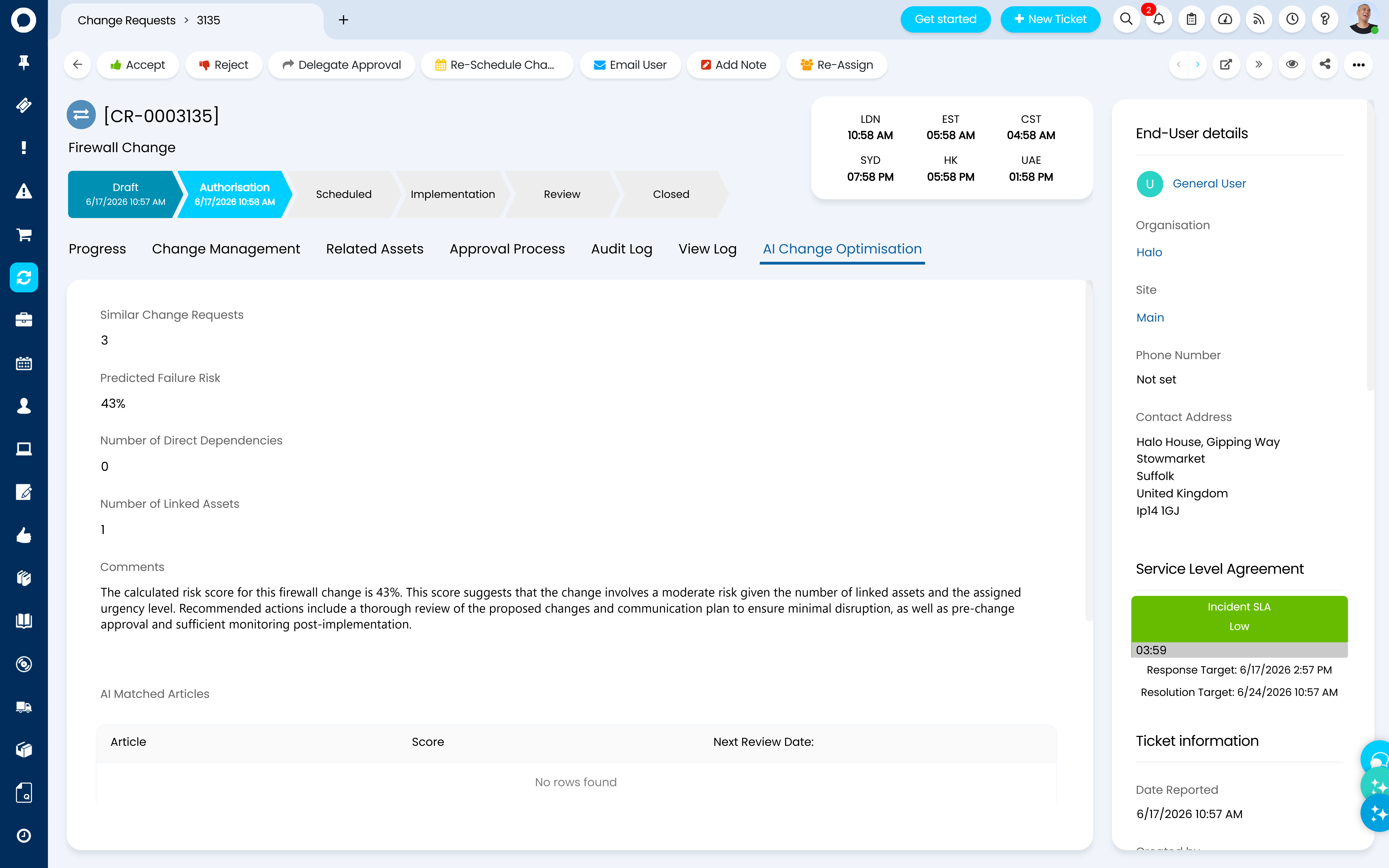
AI-powered risk scoring
Halo AI analyses every change request against historical data, CMDB relationships and service impact patterns to generate an automated risk score and risk narrative. Change managers and CAB members see an AI-generated risk assessment alongside the human-completed assessment, giving approvers a second perspective grounded in historical evidence.
Change impact prediction
Halo AI uses CMDB relationship data and historical change impact records to predict the likely impact of a proposed change on services, users and dependent systems. Impact predictions are surfaced within the change record during the assessment stage, giving the requestor and approvers a data-driven view of potential consequences before any decision is made.
Virtual agent for end users
Halo virtual agent gives every person across your organisation a fast, intelligent first point of contact, available around the clock without any human intervention required. End users can check the status of changes affecting their services and raise incidents through a conversational interface. During and after change implementation, the virtual agent keeps end users informed without service teams needing to manage individual queries.
FAQ Question 1

FAQ Answer 1


Manage all changes
with Halo
Try HALO for free today, the only platform to change the way the world works.