






















































































SLA rules built around your business
Every business is different. HALO lets you define and customise your own SLA rules and policies based on priority levels - ensuring the right targets are applied to the right tickets automatically, so your service commitments always reflect the urgency of every request.

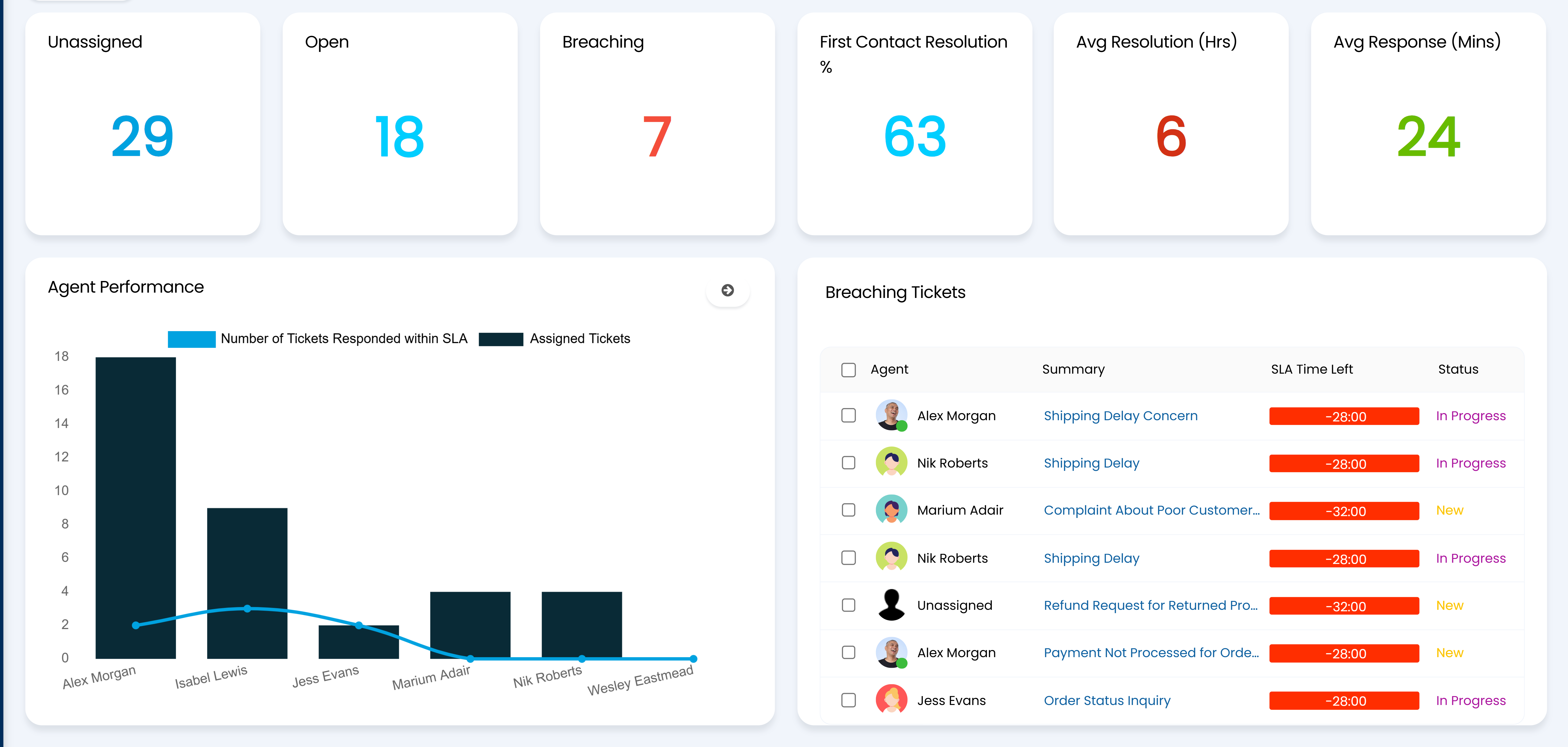
Track every SLA in real time
Stay in control with a live view of every open ticket and its SLA status. HALO gives your team instant visibility of response and resolution times across all priority levels, so nothing slips through the cracks, and the most urgent issues are always dealt with first.

Stop breaches before they happen
Don't wait for an SLA to fail. HALO's breach prevention notifications flag at-risk tickets early - across every priority level - giving your team the heads-up they need to act before a deadline is missed and a customer is let down.
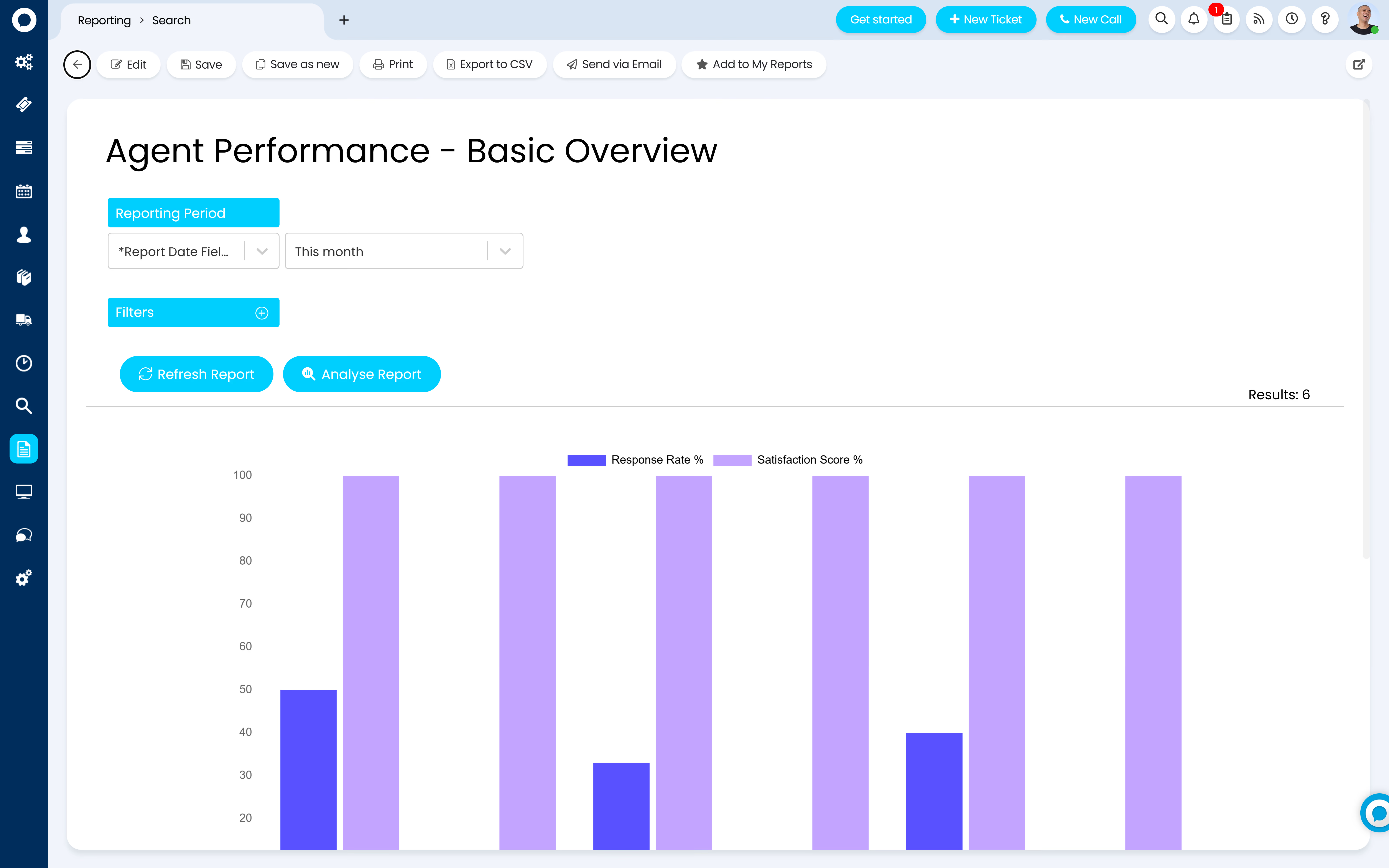
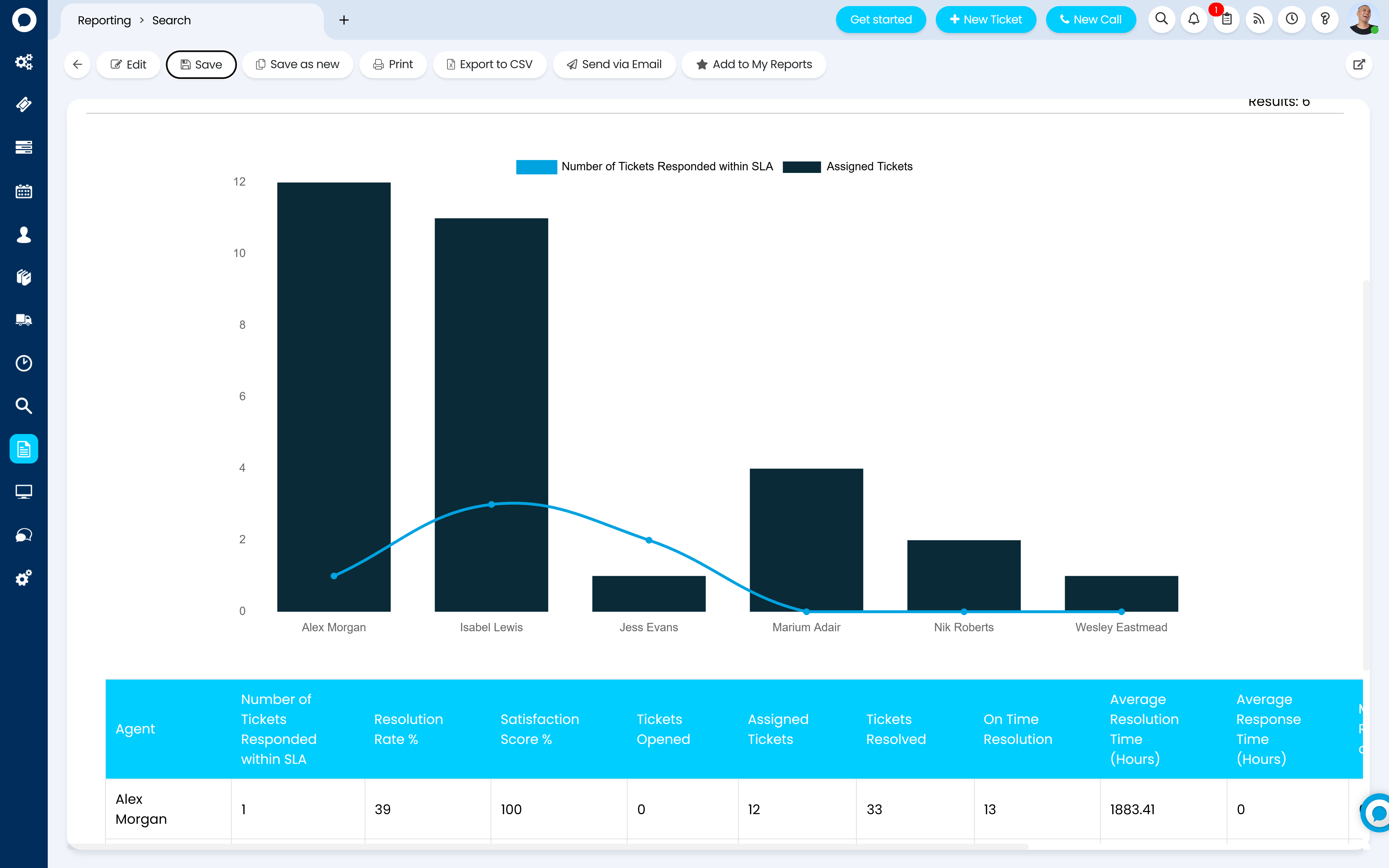
Reporting that drives better performance
Turn SLA data into actionable insights. HALO's reporting and dashboards give you a clear picture of how your team is performing against targets at every priority level - helping you spot trends, identify bottlenecks and continuously improve your service.
Escalation management
Ensure the right people are involved at the right time. Halo automatically escalates tickets that are at risk of breaching, routing them to the appropriate team or manager, so urgent issues always get the attention they need.
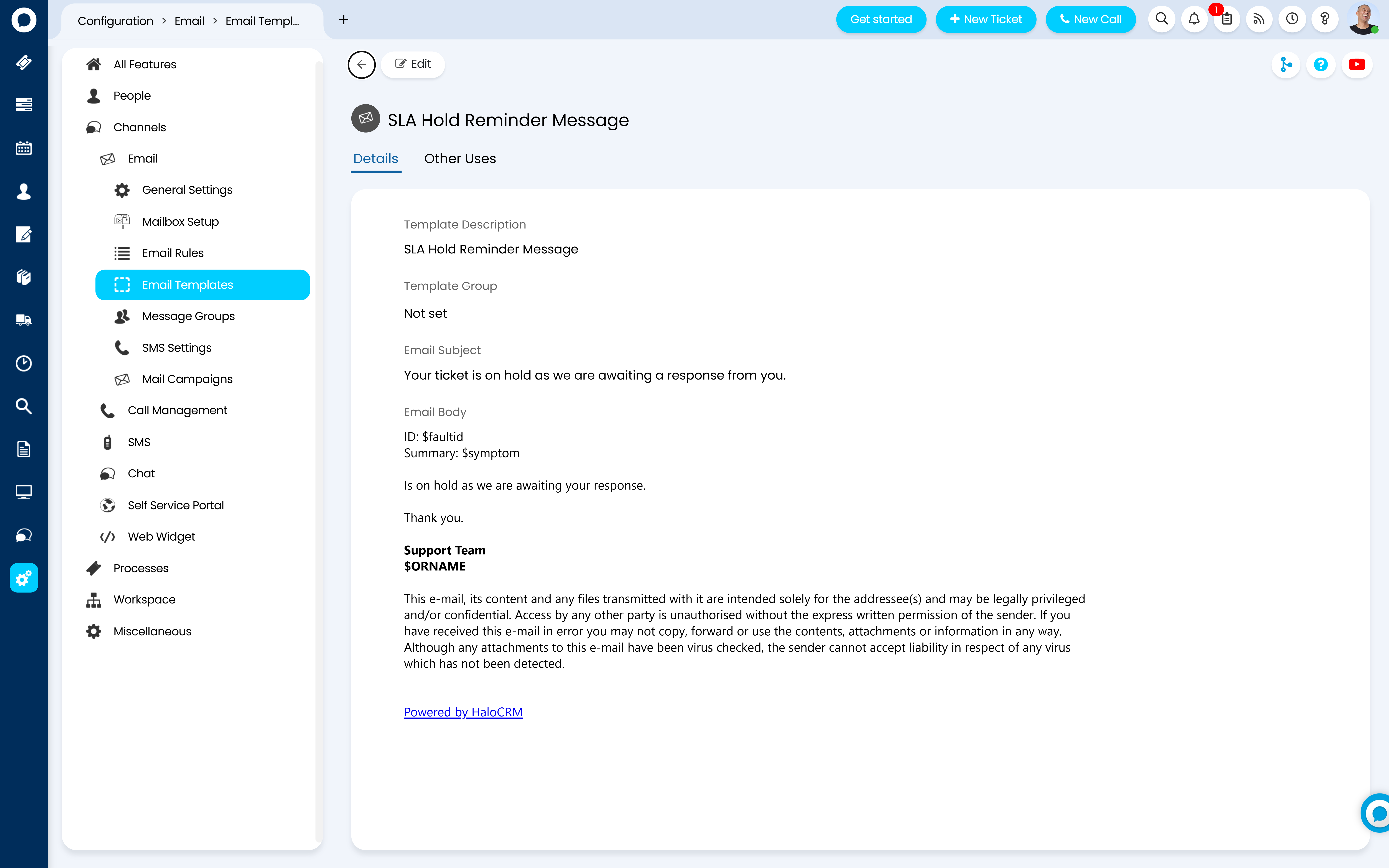
Customer communication
Keep customers informed at every stage. Automated updates let customers know their request is being handled and when to expect a resolution — reducing inbound chases and building trust throughout the process.
Multi-contract SLA support
Managing multiple customers with different service agreements? Halo supports multiple SLA contracts simultaneously, applying the right rules to the right customers automatically - no manual intervention needed.
.avif)
Customer Story
From ServiceNow to HaloITSM: How inlumi Gained Efficiency, Flexibility, and Cost Savings
As inlumi grew, they needed an ITSM solution that could keep pace. Frustrated by rising costs, complex customisation, and declining support with ServiceNow, they made the switch to HaloITSM.
See Customer Story
30%
Reduction in licensing costs




AI-suggested priority assignment
When a ticket comes in, Halo AI analyses the content and automatically suggests the appropriate priority level - reducing the risk of misclassification and ensuring the right SLA is applied from the start.
Get ahead of SLA risk from the moment a ticket arrives
When a new ticket comes in, Halo analyses similar past tickets and their SLA history. If comparable requests have previously missed their response or resolution targets, automations trigger immediately - so your team can act early and avoid repeating the same breach.
AI-assisted reporting
Within your SLA reports, Halo AI interprets the data for you - surfacing trends, highlighting recurring bottlenecks and flagging areas for improvement in plain, readable summaries. No digging through dashboards, just clear insights ready to act on.
FAQ Question 1

FAQ Answer 1


Never miss another
SLA again
Try HALO for free today, the only platform to change the way the world works.