



















































































The fewer handoff problems, the happier your customers
Customers notice when support feels disjointed. Halo keeps every transition between agents, shifts or departments invisible to the people on the receiving end. Full conversation history and shared ownership mean the next agent always picks up exactly where the last one left off.

Escalate and hand off without missing a beat
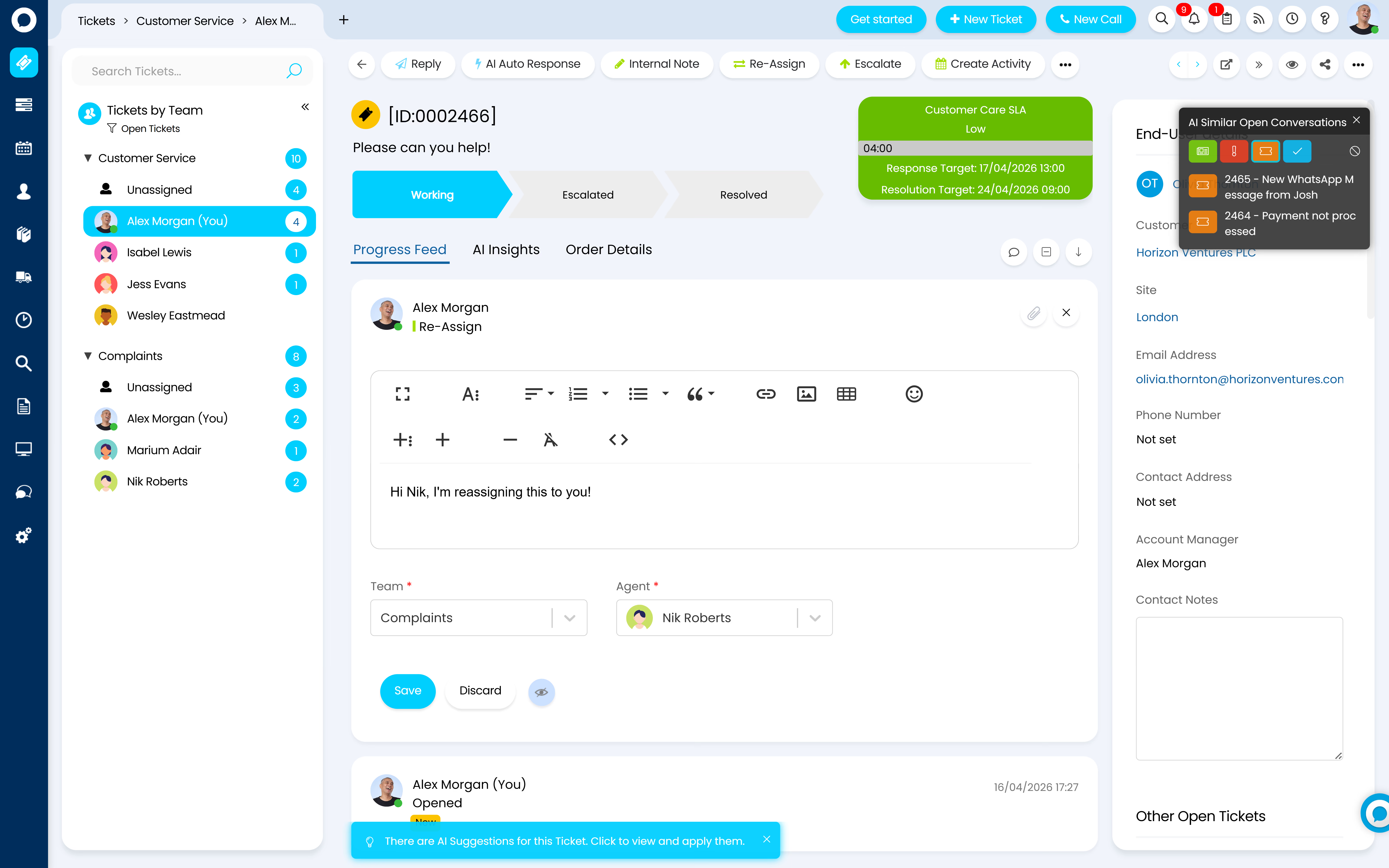
When a ticket needs a specialist or a second opinion, smooth escalation paths get it to the right person instantly, complete with full history attached. Shift changes and handoffs happen without the customer ever noticing.

Tackle complex issues as a team
Some problems take more than one person to solve. Linked tickets, shared ownership and re-assignment mean even the most complicated cases get resolved quickly, with every agent contributing from a common understanding.
No more working in the dark
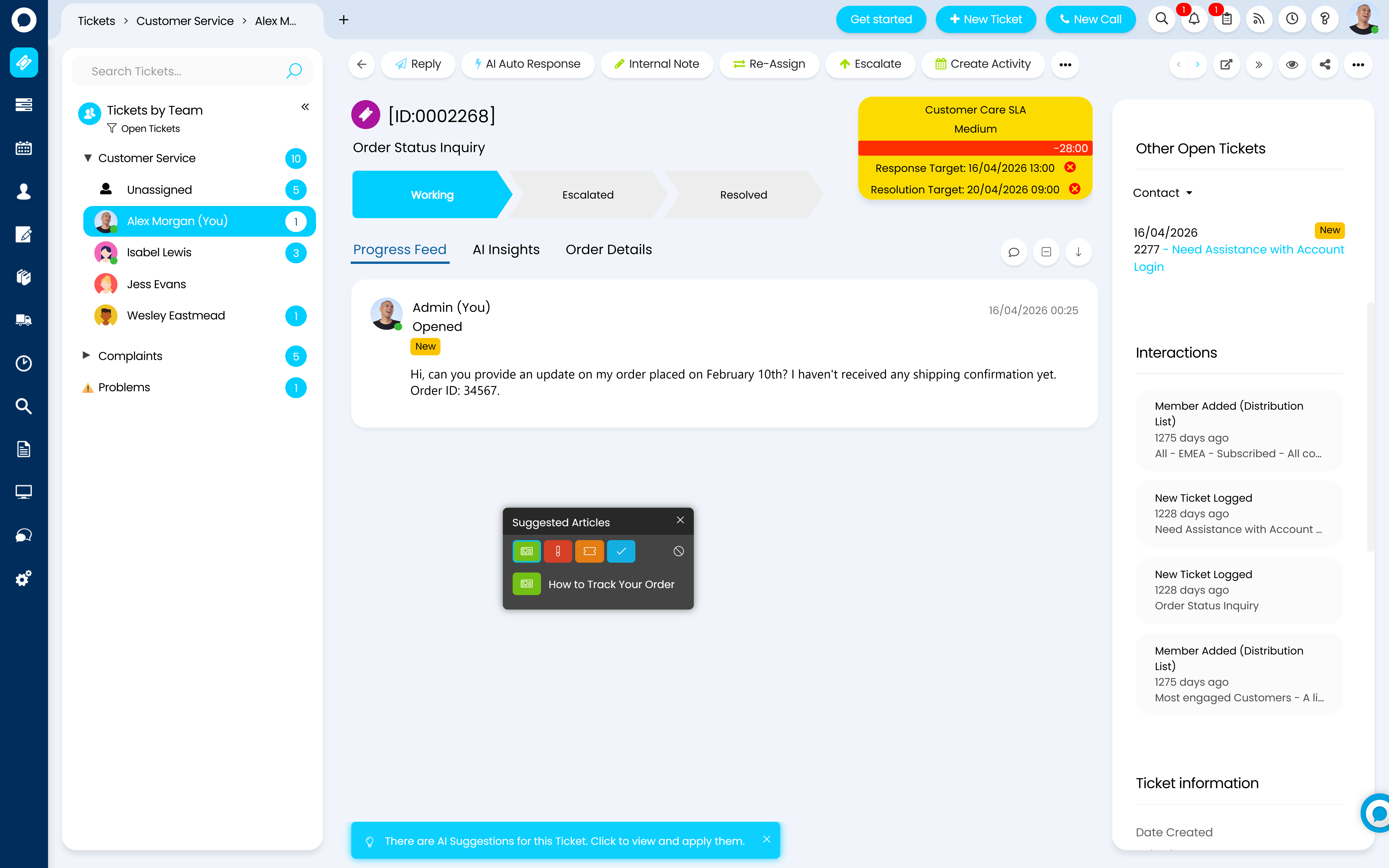
When agents can see what their colleagues are working on, better decisions happen faster. Halo eliminates the guesswork of who owns what, giving every member of your team the clarity they need to act confidently, without waiting to be told.
Collaborate directly inside every ticket
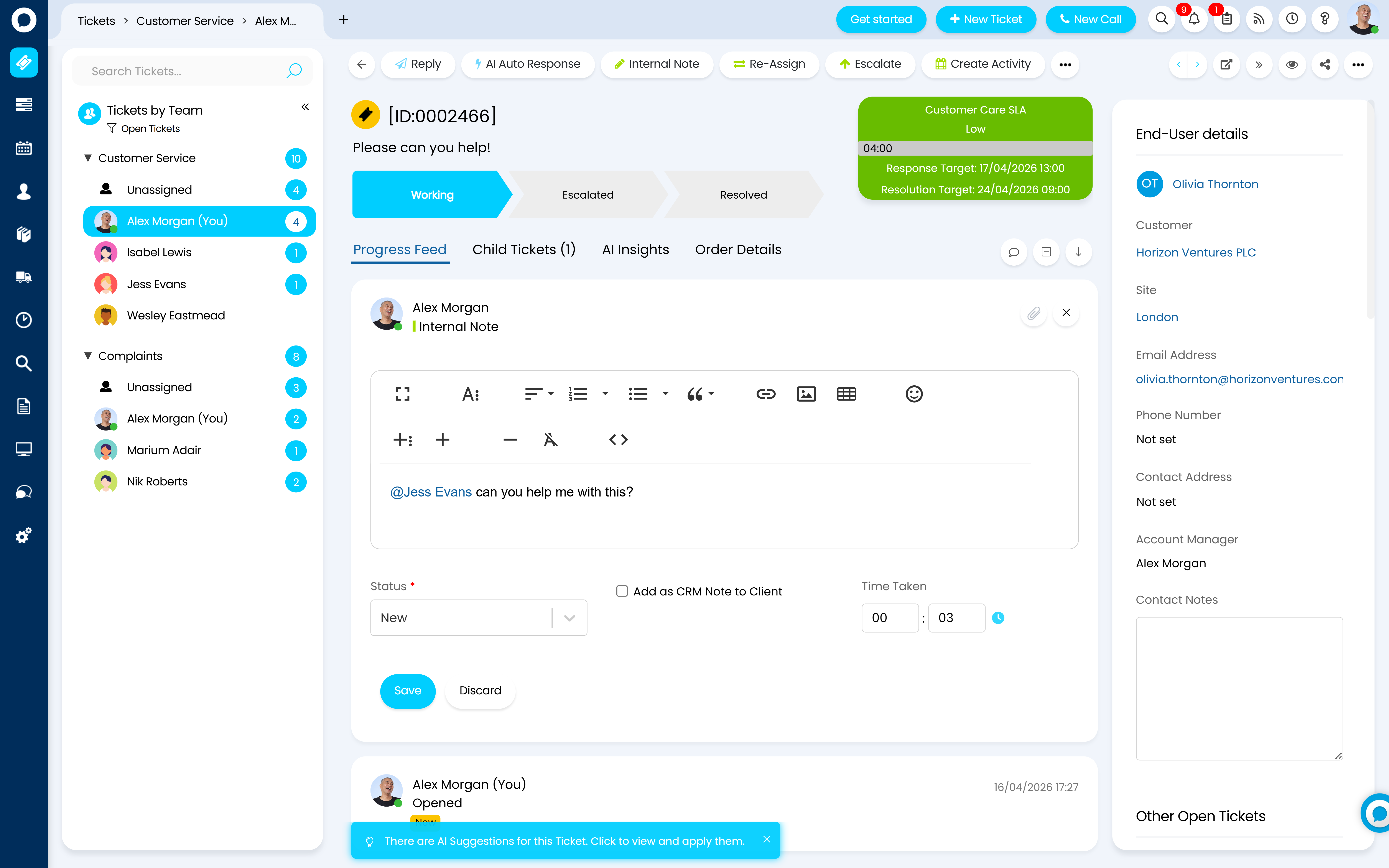
Internal notes and @ notifications let agents discuss, advise and hand off without ever leaving the conversation. No side threads, no lost context, just seamless teamwork happening exactly where it needs to.
See the full customer story before you respond
Every past ticket, article viewed, and previous interaction is surfaced automatically when a customer gets in touch. Agents walk into every conversation fully informed so they can skip the catch-up and get straight to solving the problem.

Customer Story
From ServiceNow to HaloITSM: How inlumi Gained Efficiency, Flexibility, and Cost Savings
As inlumi grew, they needed an ITSM solution that could keep pace. Frustrated by rising costs, complex customisation, and declining support with ServiceNow, they made the switch to HaloITSM.
See Customer Story
30%
Reduction in licensing costs

Always know who's doing what
Real-time visibility of ticket ownership and agent activity means no duplicated effort, no dropped balls and no confusion over who's responsible for what - keeping your whole team aligned without anyone having to ask.

Keep every conversation in one place
Whether it's an internal note, a customer reply or an escalation, everything related to a ticket lives in one thread. Your team always has the full picture without having to chase context across emails, chats or other tools.

Shared queues that keep work moving
Team queues give everyone visibility of incoming work so tickets never sit idle. When someone is unavailable, another agent can pick up seamlessly - keeping resolution times on track regardless of who's on shift.


AI-suggested assignments
When a ticket comes in, Halo AI recommends the most suitable agent based on skill set, availability and past resolution history, so the right person is on the right ticket from the start, without a manager having to intervene.
AI-generated handoff summaries
When a ticket is escalated or reassigned, Halo AI generates an instant summary of the conversation so far - giving the receiving agent everything they need to pick up without reading back through the entire thread.
AI-assisted response suggestions
As agents work through a ticket, Halo AI surfaces relevant responses based on similar past resolutions, helping your team reply faster and more consistently, without starting from a blank page.
AI sentiment detection
Halo AI reads the tone of incoming messages and flags conversations where a customer is frustrated or at risk, allowing the right agent or manager to step in before the situation escalates.
FAQ Question 1

FAQ Answer 1



Reimagine the way your
team works together
Try HALO for free today, the only platform to change the way the world works.