































HaloPSA New Features: Q2 2024
Discover all the key new features that have been released in Q2 of 2024.




Start your free 30-day Halo trial with all features and modules included.
No credit card required - simply choose the setup that best fits your business and get started in minutes.


Tenant

Teams & Agents

Users


Tickets
Halo AI

Asset Mgmt

Billing

Calendars & Appts

Call Mgmt

Chat

Contracts

Document Mgmt
Forecasting
Event Mgmt

Knowledge Base

Items & Stock

Notifications

Project Mgmt

Purchase Orders

Reporting

Self-Service Portal

Services

SLAs

Software Releases

Suppliers

Supplier Contracts

Time Management

Language

Custom Objects

Integrations

Migrations
Organisation
Teams & Agents
Users
Tickets
Halo AI
Asset Mgmt

Billing
Calendars & Appts
Call Mgmt
Chat

Agreements
PDF Templates
Documents

Forecasting
Event Mgmt
Knowledge Base
Items & Stock
Notifications
Project Mgmt
Purchase Orders
Quotations
Remote Support
Reporting

Sales
Sales Orders
Self-Service Portal
Service Catalogue
SLAs
Suppliers

Supplier Agreements
Time Management
Language
Custom Objects
Integrations
Migrations
Organisation
Teams & Agents
Contacts
Quotations
Sales
Records
Halo AI

Segments

Campaign
Calendars & Appts
Call Mgmt
Chat
Forecasting
Knowledge Base
Items & Stock
Notifications
Project Mgmt
Reporting
Self-Service Portal
SLAs
Language
Custom Objects
Integrations
Migrations
Organisation
Teams
Agents

Roles

Contacts
Call Mgmt
SMS
Social Media
Chat
Self-Service Portal

Web Widget
Forms

Workflows

Rules

Canned Text

Surveys
Knowledge Base
Notifications
SLAs
Suppliers
Halo AI
Areas

Views
Calendars & Appts
Reporting
Time Mgmt
Language
Custom Objects
Integrations
Migrations
Forecasting
Project Mgmt
Discover all the key new features that have been released in Q2 of 2024.
As we moved through the second quarter of 2024, our team continued to enhance HaloPSA with a range of powerful new features designed to meet the evolving needs of our customers. Your feedback has once again been instrumental in guiding these developments, reflecting our commitment to making HaloPSA the best tool for your business.
In Q2, we’ve introduced key integrations, such as StreamOne® Ion and Adobe Acrobat Sign, along with major improvements to quoting, document management, AI capabilities, and more. Explore the innovative updates from our 2.152 Stable Upgrade, crafted to elevate your business operations.
1. StreamOne® Ion Integration
The StreamOne Ion integration allows for importing and mapping customers manually or via a ‘Generate Mappings’ button. Additionally, it supports importing subscriptions for mapped customers, ensuring streamlined customer and subscription management directly within HaloPSA, leading to further enhancements for automated billing.
2. Adobe Acrobat Sign Integration
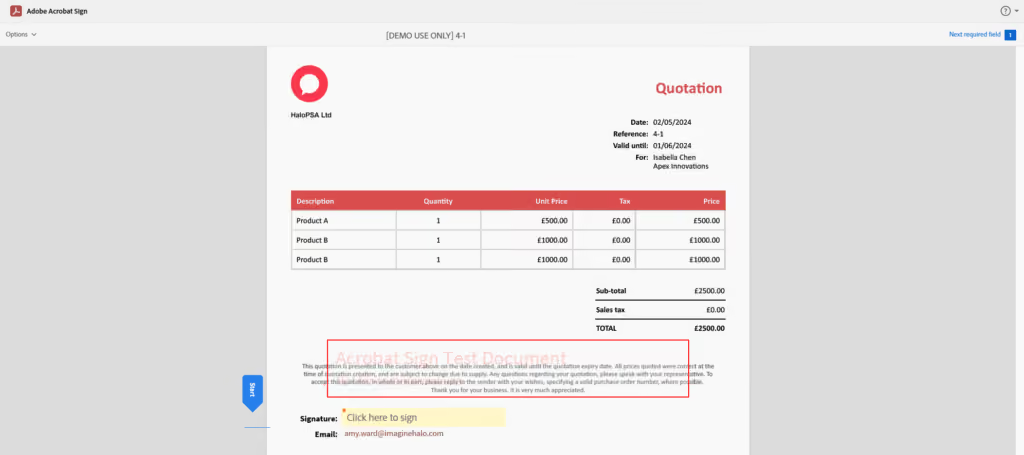
The new Adobe Acrobat Sign integration in HaloPSA enables Agents to send quote PDFs directly to Adobe Acrobat Sign for approval and automatically update the Quote in Halo once it’s approved, adding a new mechanism for e-signing of Quotes/Proposals from HaloPSA.
3. Quote Improvements
A variety of changes have been made to Quotation functionality within HaloPSA as part of an effort to increase usability and ease of access, while also adding to the available feature-set. These changes include:
4. New Pro Rata Setting to Add to Ready for Invoicing
We’ve added a new Pro-Rata option for Recurring Invoice Lines with calculated quantities. When selected, pro-rata changes will be placed in a new ‘Pro-Rata’ section within Ready for Invoicing, giving you more control over your invoicing process.

5. Distribution Lists
The new Distribution Lists module in HaloPSA streamlines bulk email communications by enabling users to be added to lists for mass emailing. Communications to these lists are tracked and viewable in the Distribution List’s History tab or the user’s activity feed if configured. Users can be added to lists via spreadsheet imports or in bulk from existing lists using checkboxes. Additionally, a new permission setting controls agent access to the Distribution Lists.

6. Document Management
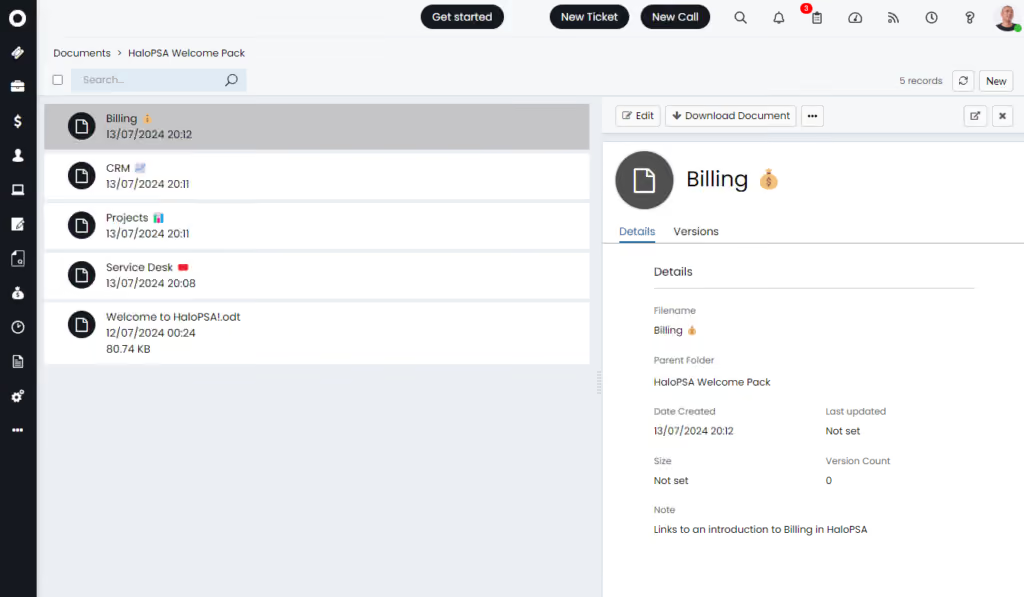
The new Document Management module in HaloPSA provides a dedicated space for organising and managing documents. Here you can create folders, upload and manage versions of documents, and manage access permissions for agents, allowing for no access, read-only, or read-write permissions.
The module offers both table and catalogue views and supports easy document and folder creation, editing, and deletion. Documents can be added by uploading or dragging attachments, and all versions of a document are accessible for review and download. Agents with at least read access can attach documents to tickets and actions, utilising search and filter functionalities for efficient document management.
7. Custom URL from Nav Menu
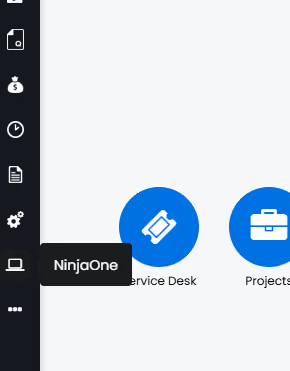
Screen layout profiles for the Agent Application navigation menu now include the option of including Custom Buttons with dedicated URLs. The introduction of this feature allows you to easily provide links to your favourite applications, while aiding in keeping HaloPSA as your central application used on a daily basis.
8. Project Budget Threshold
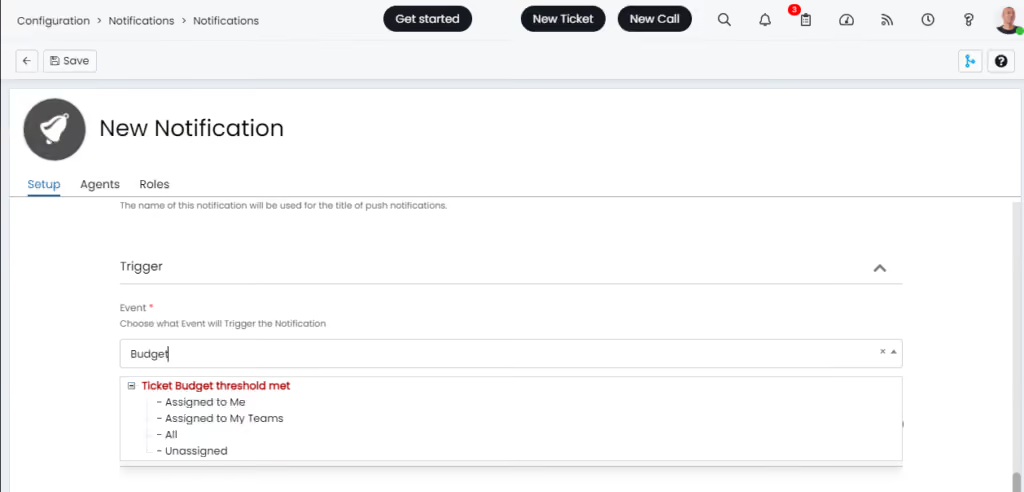
HaloPSA introduces a ‘Ticket budget threshold met’ event trigger. The notification will fire for Projects that have budgets satisfying the ‘threshold %’ (configured within the notification) and for only one instance of that budget type in the child-parent-grandparent relationship. This is part of a wider effort to improve Project Management and increase visibility for project managers.
9. Ingram Micro Improvement
HaloPSA’s Ingram Micro Reseller integration now includes automatic order creation when creating sales orders from quotes. There is a new option to enable “Order status updated” webhooks along with the ability to map Ingram Micro Reseller Order statuses to Halo Purchase order statuses – streamlining the procurement process within HaloPSA. Configuration involves adding a webhook signature and setting the Halo URL. Inbound and outbound API requests are also supported.
10. Instant Ticket Creation/Updates with Webhooks
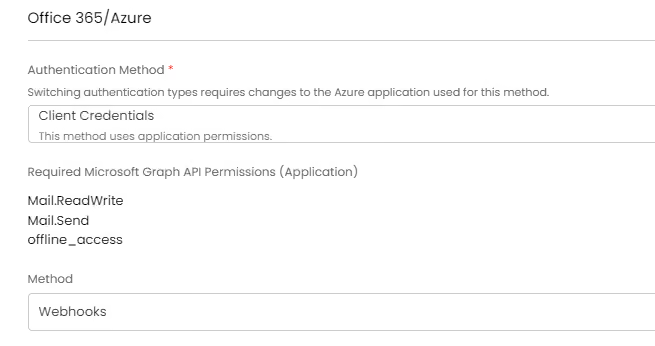
If you are using Azure/Office 365, you can now enable webhooks for your mailboxes. This allows tickets/actions to be created instantly whenever an email hits the inbox of a mailbox that is connected to Halo, ensuring immediate attention and no more delays. It is advised by the Halo team to switch to ‘Webhooks’ method if you are not already using this.
To enable webhooks, Client Credentials must be selected as the Authentication Method, and Webhooks for the Method as shown below.
*Only available for Azure/Office 365 mailboxes at the moment.
AI
11. AI Suggestions
Vast improvements have been made to the concept of AI suggestions within HaloPSA. Provided your ‘AI Ticket Matching & AI Insights’ method is set to ‘Built-in Functionality’, you will see an option to configure ‘AI Suggestions’. These work similar to Ticket rules with a Criteria & Outcome section. Criteria allow you to look at:
The types of suggestions that can be added include:
All suggestions can be automatically applied, or provide suggestions for your team to apply one or all suggestions with a single click, leading to reduced triaging times and freeing up your team to do what matters most – solving problems!
12. Knowledge Searching and Virtual Agent
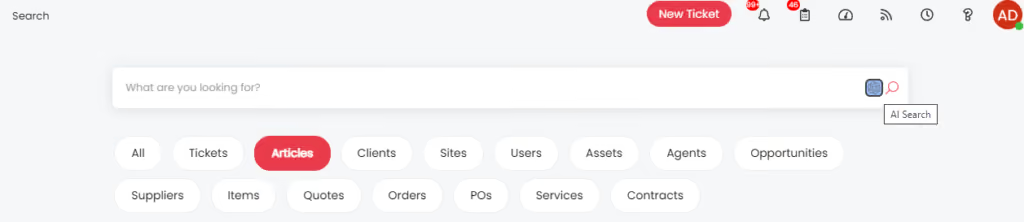
Building upon our previous Knowledge Search capabilities, we’ve now integrated Azure AI Search to elevate the user experience. This enhancement empowers End Users with even more powerful knowledge search capabilities, seamlessly supporting our existing Virtual Agent feature. Initially launched to improve user interactions, the Virtual Agent now benefits from this integration, delivering even more accurate and context-aware answers instantly.
This upgrade further streamlines the User experience by enabling Users to access information and log tickets autonomously, significantly reducing ticket volume.
Want to Find Out More?
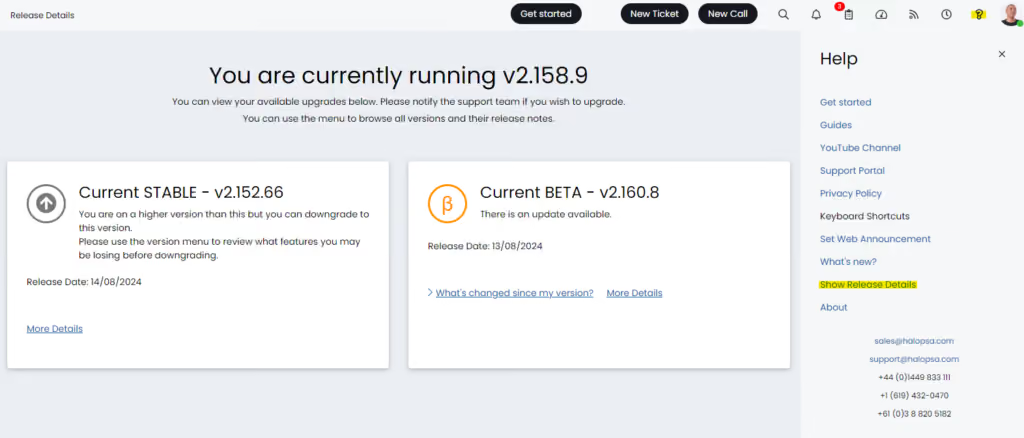
For further information and to see all new features, click the question mark in the top right of your screen, then select ‘Show Release Details’:
To find out more information about future developments, look at our roadmap here!
If you’d like to speak to one of our team about specific features, or have any more specific questions, please contact your Customer Success Manager or feel free to contact us and we will get in touch as soon as we can!