































What’s New in Halo: 2026 Final Release
Discover all the key new features and improvements that have been released in our final release of 2026, version 2.250.
.png)



Start your free 30-day Halo trial with all features and modules included.
No credit card required - simply choose the setup that best fits your business and get started in minutes.


Tenant

Teams & Agents

Users


Tickets
Halo AI

Asset Mgmt

Billing

Calendars & Appts

Call Mgmt

Chat

Contracts

Document Mgmt
Forecasting
Event Mgmt

Knowledge Base

Items & Stock

Notifications

Project Mgmt

Purchase Orders

Reporting

Self-Service Portal

Services

SLAs

Software Releases

Suppliers

Supplier Contracts

Time Management

Language

Custom Objects

Integrations

Migrations
Organisation
Teams & Agents
Users
Tickets
Halo AI
Asset Mgmt

Billing
Calendars & Appts
Call Mgmt
Chat

Agreements
PDF Templates
Documents

Forecasting
Event Mgmt
Knowledge Base
Items & Stock
Notifications
Project Mgmt
Purchase Orders
Quotations
Remote Support
Reporting

Sales
Sales Orders
Self-Service Portal
Service Catalogue
SLAs
Suppliers

Supplier Agreements
Time Management
Language
Custom Objects
Integrations
Migrations
Organisation
Teams & Agents
Contacts
Quotations
Sales
Records
Halo AI

Segments

Campaign
Calendars & Appts
Call Mgmt
Chat
Forecasting
Knowledge Base
Items & Stock
Notifications
Project Mgmt
Reporting
Self-Service Portal
SLAs
Language
Custom Objects
Integrations
Migrations
Organisation
Teams
Agents

Roles

Contacts
Call Mgmt
SMS
Social Media
Chat
Self-Service Portal

Web Widget
Forms

Workflows

Rules

Canned Text

Surveys
Knowledge Base
Notifications
SLAs
Suppliers
Halo AI
Areas

Views
Calendars & Appts
Reporting
Time Mgmt
Language
Custom Objects
Integrations
Migrations
Forecasting
Project Mgmt
Discover all the key new features and improvements that have been released in our final release of 2026, version 2.250.
The 2026 Final Release closes the year with major additions across AI, asset management, CMDB, and the Self-Service Portal. This release contains a newly restructured AI configuration experience, asset workflows and actions, expanded CMDB controls, enhanced Self-Service Portal capabilities, PII data flagging, and improvements to the Zoom integration alongside new integrations with AWS Bedrock, and Juniper Mist. Let’s take a closer look at what’s new.
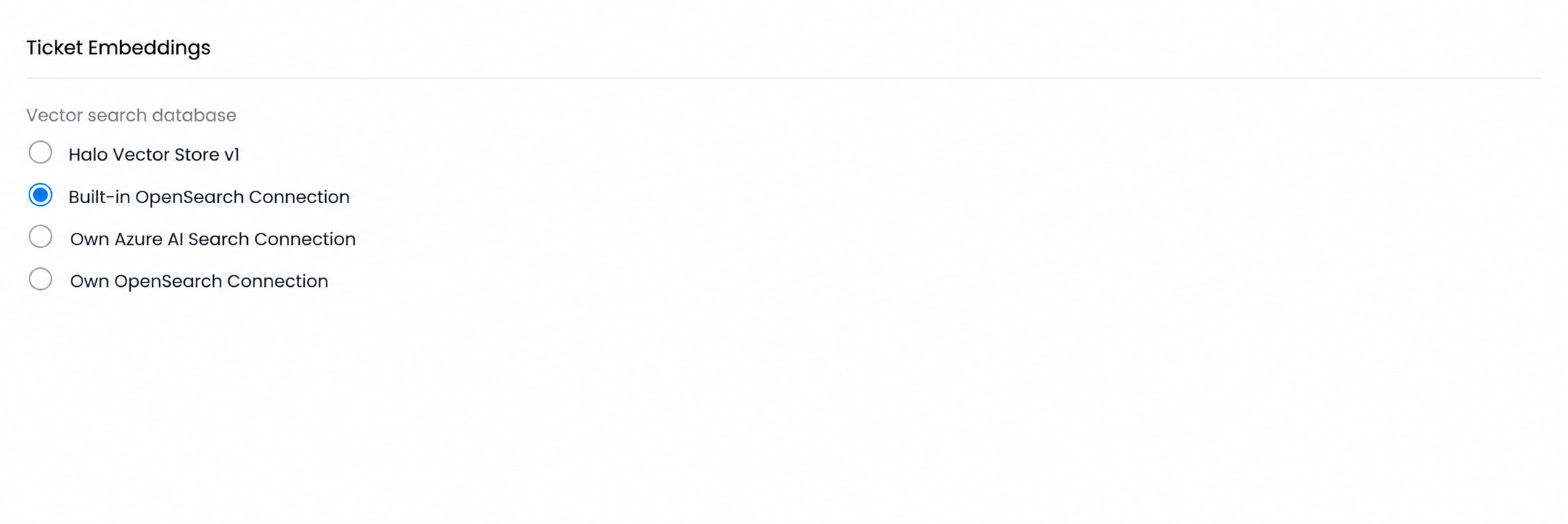
For hosted customers, the AI configuration now includes a built-in OpenSearch connection option. This uploads vectors to Halo’s native OpenSearch instance with no connection setup required. Unlike the previous Halo Vector Store, this option also supports indexing of KB articles and services in addition to tickets.
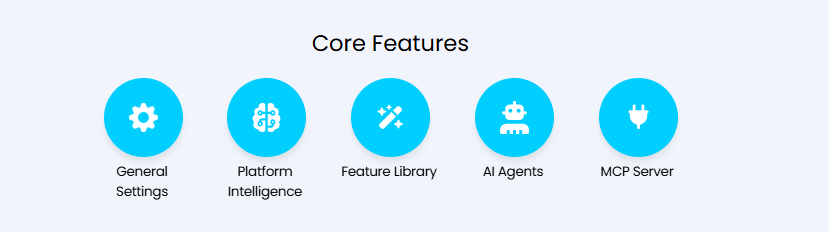
The AI configuration area has been split into five dedicated modules to make it easier to navigate as the range of AI capabilities in Halo continues to grow.
The new modules are: General Settings (connection setup, embeddings, search settings, and logs), Platform Intelligence (embedding-powered AI functionality), Feature Library (generative AI features), AI Agents (Operations Agents, Virtual Agents, and Process Agents), and MCP Server (Halo MCP server configuration). As part of this release, the ‘AI Agent’ entity has been renamed to ‘Process Agent’, with ‘AI Agent’ now used as a general term covering Virtual Agents, Operations Agents, and Process Agents.
Additionally, runbooks containing Process Agents and AI Abilities can now be downloaded directly from the online repository, with the associated agents and abilities automatically added to your instance. When creating a Process Agent, the platform will now automatically create an associated Application record, removing the need to configure it manually. Permissions on the application are determined by the functions selected on the agent – for example, adding ‘Get One Ticket’ automatically grants ‘read:tickets’ to the application. Additional permissions can still be added manually where needed.

An ‘Other Uses’ tab has also been added to Virtual Agents, Operations Agents, Process Agents, and AI Abilities, showing which chat profiles or runbooks each is used in.
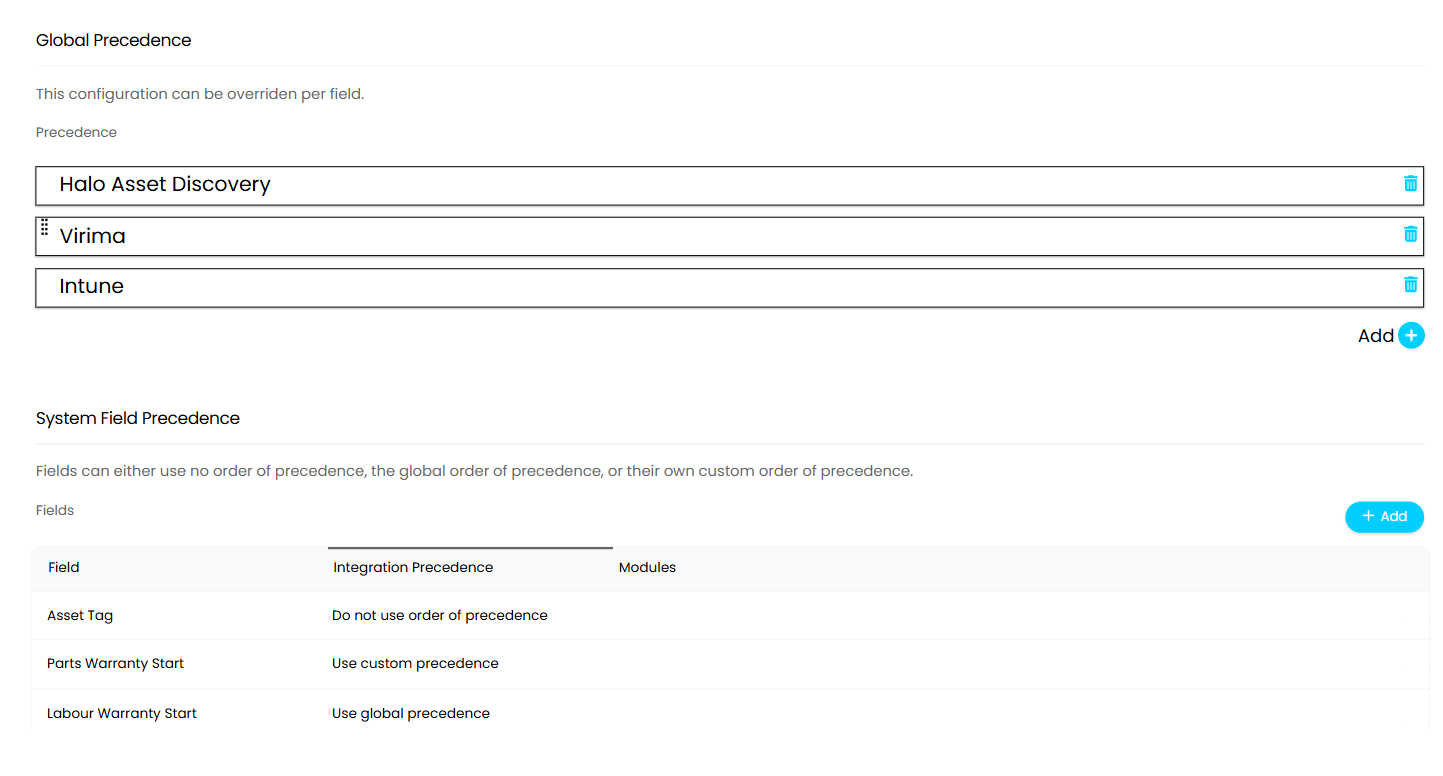
A new Reconciliation area has been added under CMDB configuration, allowing administrators to define an order of precedence for Asset Management and CMDB integrations. When a field is set by a higher-precedence integration, lower-precedence integrations cannot override it. Precedence can be set globally or overridden per field.
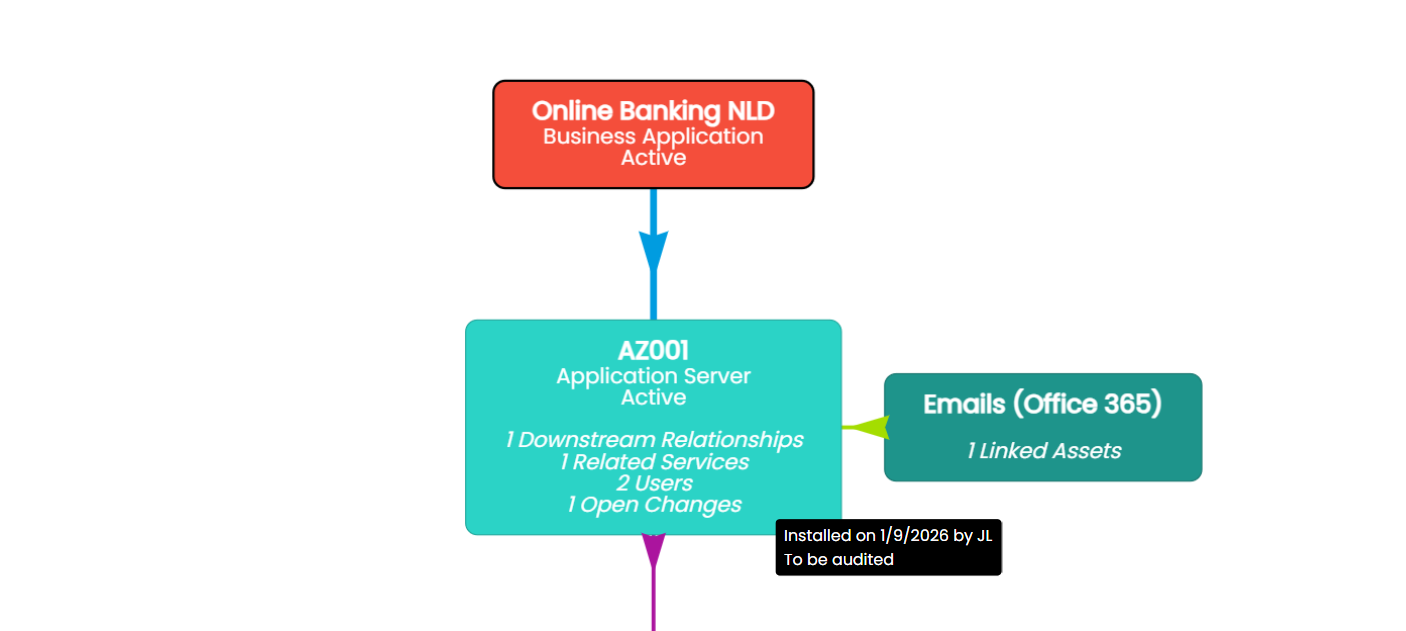
Furthermore, notes can now be added when creating or editing configuration item relationships. These appear when clicking the view button on the relationship table, and also display on hover in the configuration item relationship diagram.
It is also now possible to link an existing configuration item to a service by changing the configuration item to a type classified as a service or business application. Administrators will be prompted to link to an existing service or create a new one, with the link created on saving. Shared properties such as name, business owner, and note will use the configuration item’s values when linking to an existing service.
Moreover, problem matching now also supports configuration item-based matching. Knowledge Base Articles linked to a configuration item can be used as a criterion within the resolution finder, improving the accuracy of suggested resolutions where configuration items are central to the service automation framework.
CMDB and configuration item management gains three significant new capabilities in this release: action forms, workflows, and lookups.
Custom buttons on configuration items can now be configured to open an action form, allowing structured data to be captured directly against a CI. The form supports CI system fields, CI fields, CI custom fields, service system fields, and a note field. Field visibility follows the visibility configured on the CI, and a default post-action status can be set. Completed actions are logged in the Action History tab, showing the agent, date, button name, updated status and note. Changes to other fields are recorded in the CI’s change history.
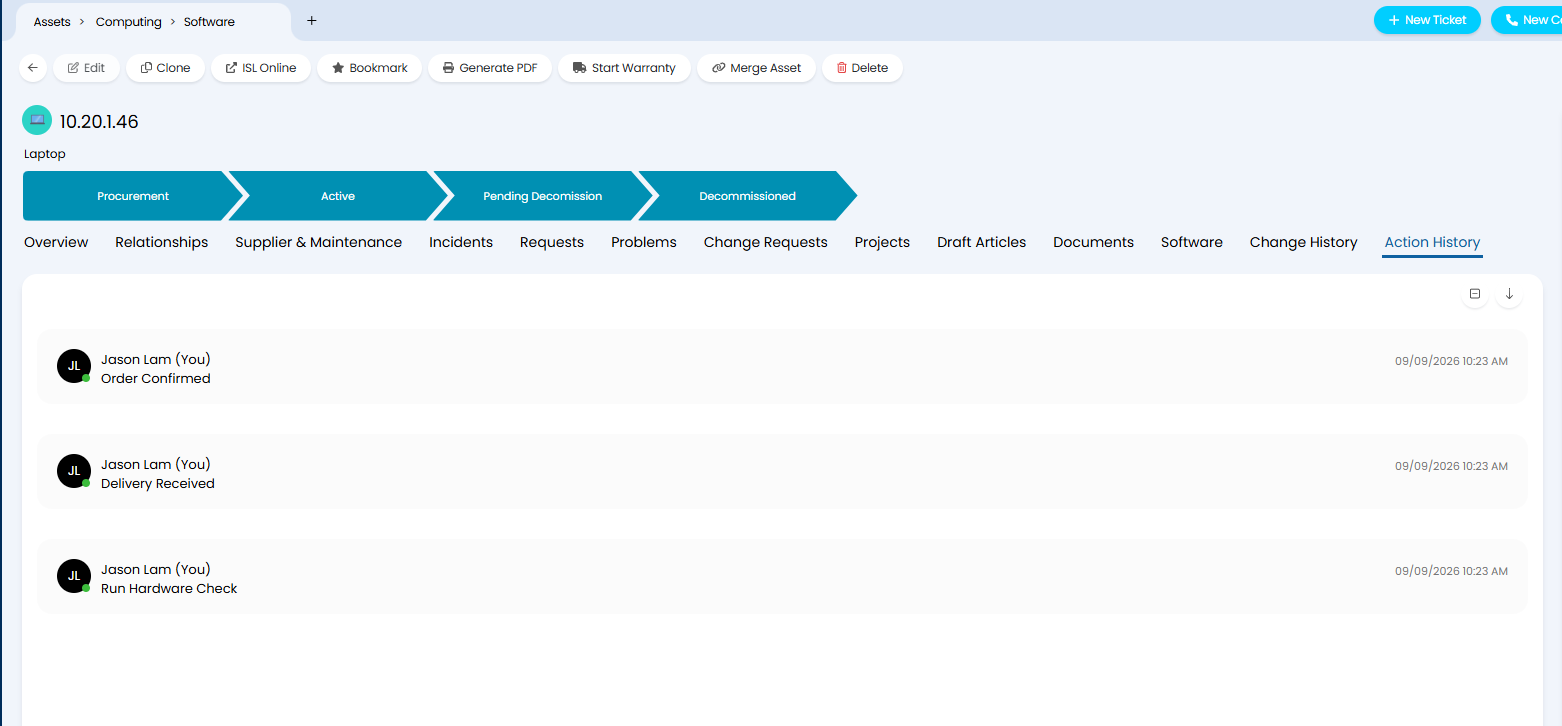
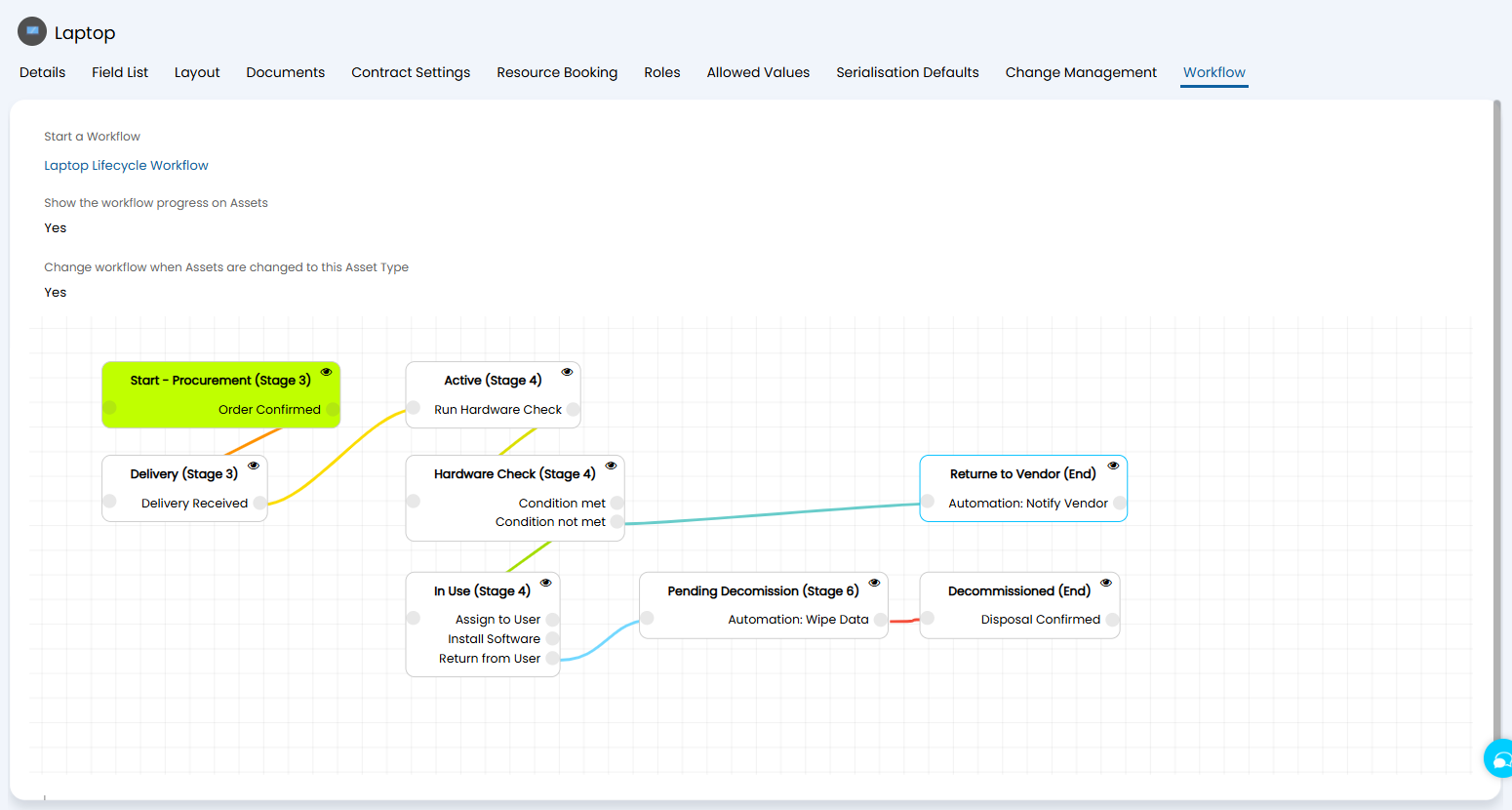
These buttons can then be added to CI workflows with conditional steps that control custom button visibility, and automations that queue runbooks. CI types can be set to start a workflow automatically and to display workflow progress on CIs of that type. The current workflow and its progress are shown directly on the CI above the tabs and can be changed from the CI itself.
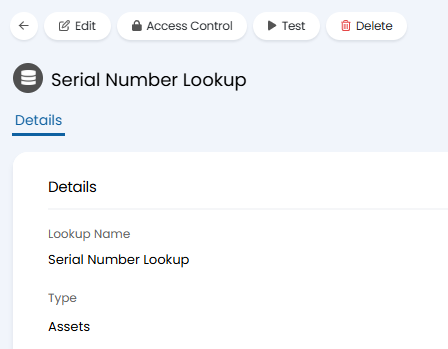
Also new are asset lookups, which allow asset fields and custom fields to be automatically populated based on the values of other fields. Lookups can be triggered by system fields, asset fields, or asset custom fields, and fire when an asset is updated.
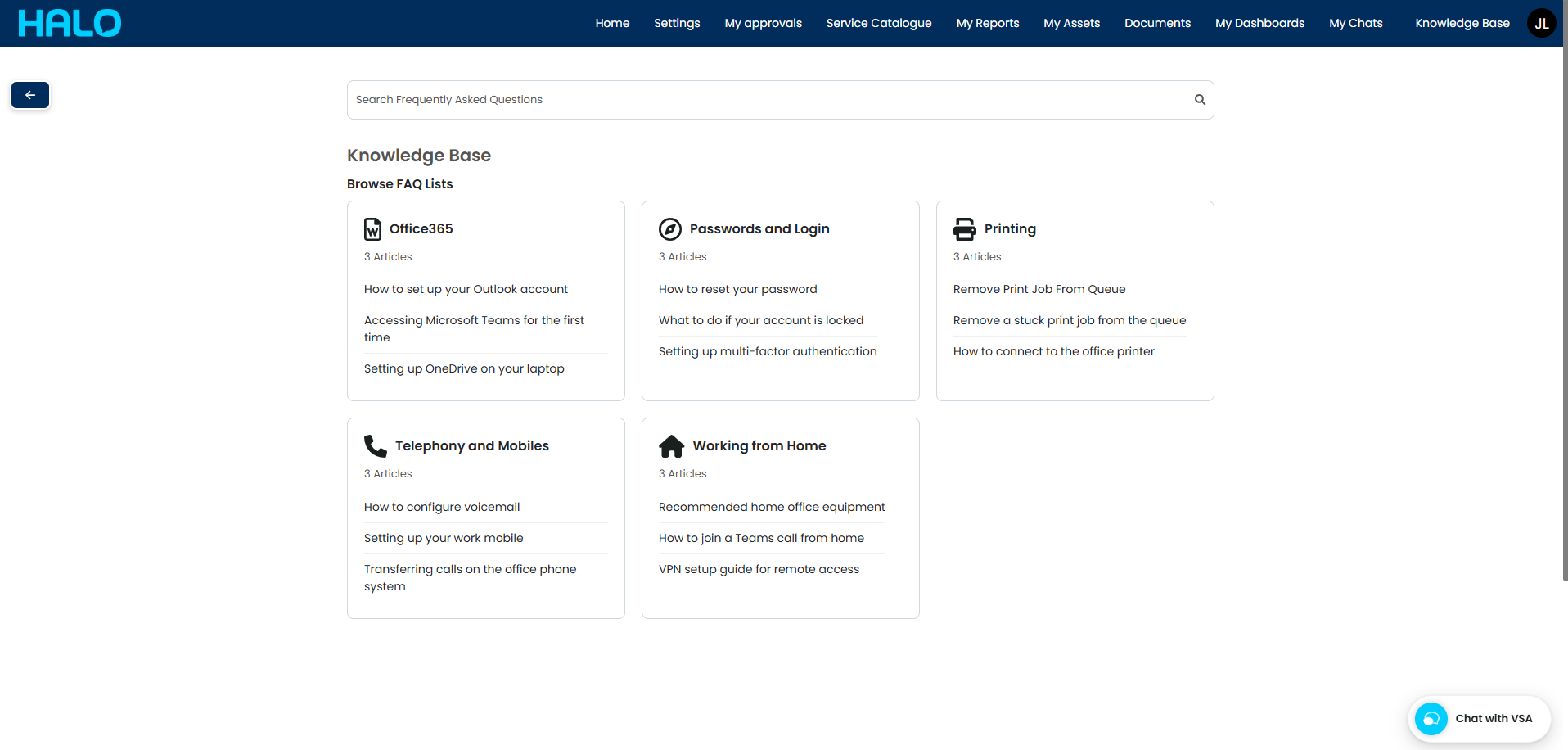
A new Knowledge Base Tiles display type is now available for the Self-Service Portal. When a user clicks the button, FAQ Lists are displayed in a tiled layout alongside a search bar. Each tile can have a customised icon and up to three articles configured for quick access. Clicking into an FAQ List tile shows child FAQ Lists and articles within it, with navigation via a breadcrumb. The root level FAQ List accessible through this button can be restricted per button configuration. An option is also available in the Searching category of the SSP configuration to enable the home screen search bar to use the tile mode’s search functionality, and clicking Top 5 Articles from the home screen will take the user directly into the tile view.
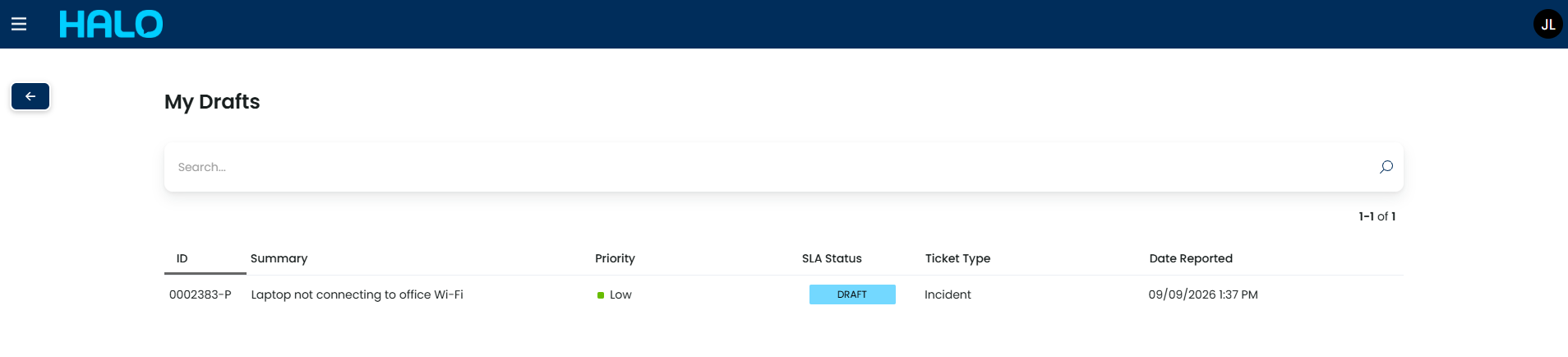
Saved ticket drafts can now be viewed by both agents and users. When draft saving is enabled on a ticket type and a status is configured for drafts, saving a draft on the portal creates a ticket in the background at that status. Agents can view these in the agent application, and users can view them via a new ‘My Drafts’ portal button. Acknowledgement emails are not sent until the ticket is fully submitted, and processes such as SLA timers, rule matching, and child ticket creation are calculated on final submission rather than on draft save.
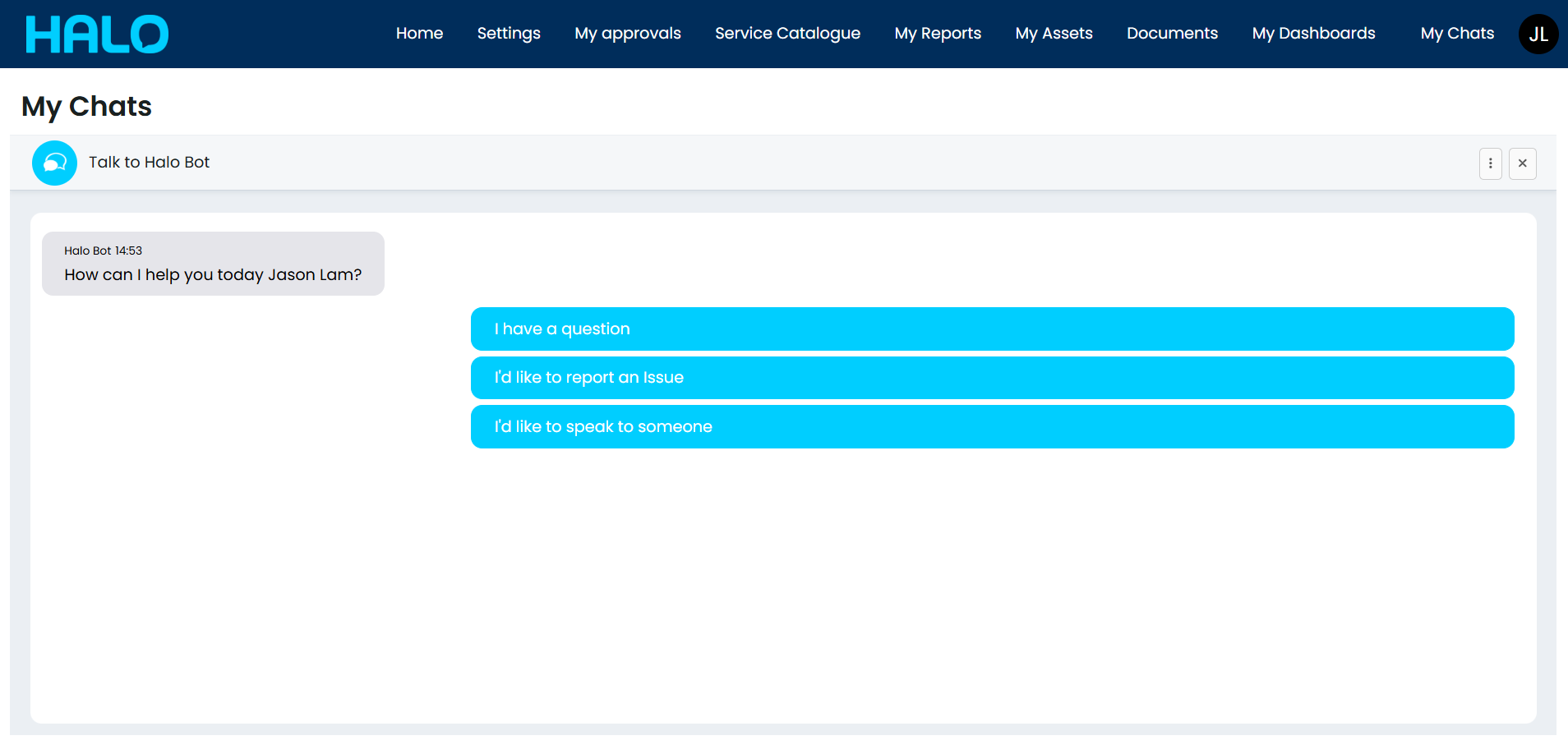
The chat can now be added as a dedicated menu button in the Self-Service Portal, opening as a full page rather than the standard chat bubble. This view shows the most recently closed chat and allows a new chat to be started in a larger window.
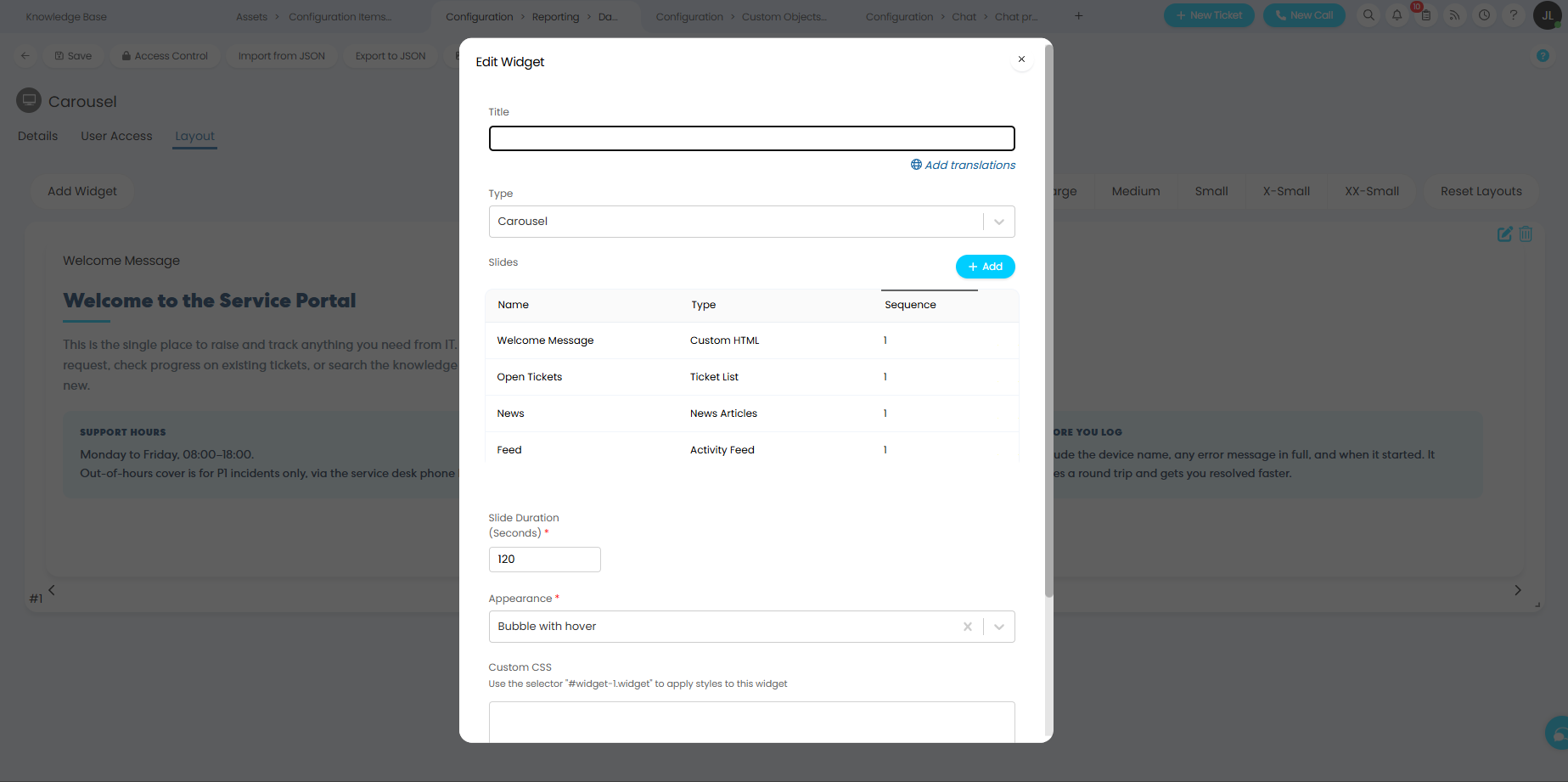
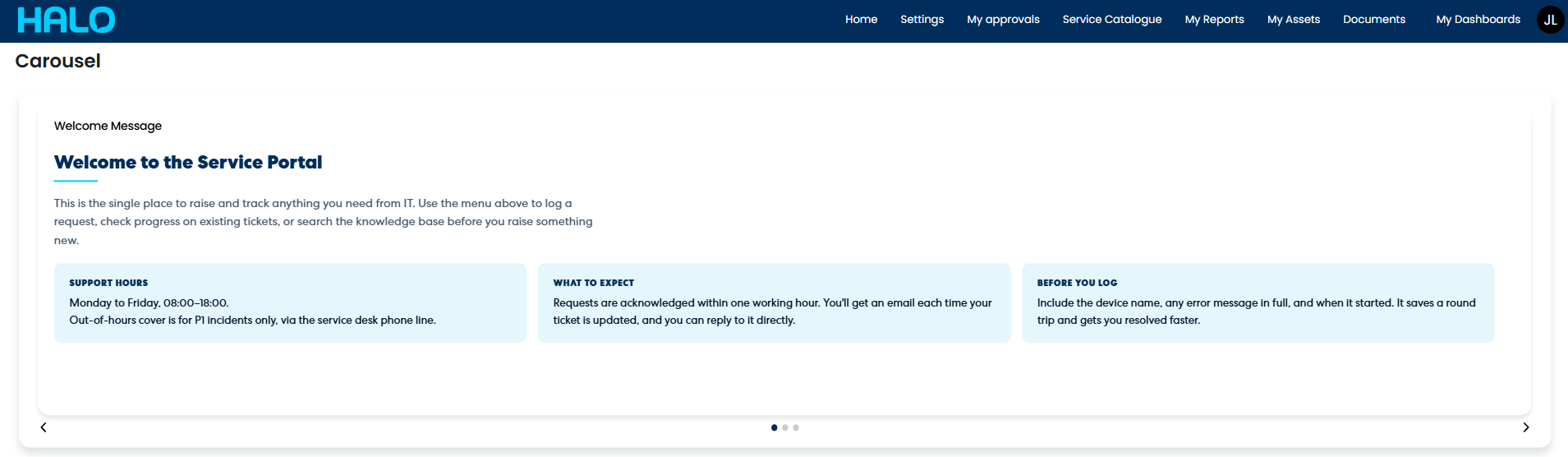
A carousel widget type is also now available, allowing multiple slides to be cycled through periodically. The sequence and display duration of each slide can be configured, and users can switch slides manually.
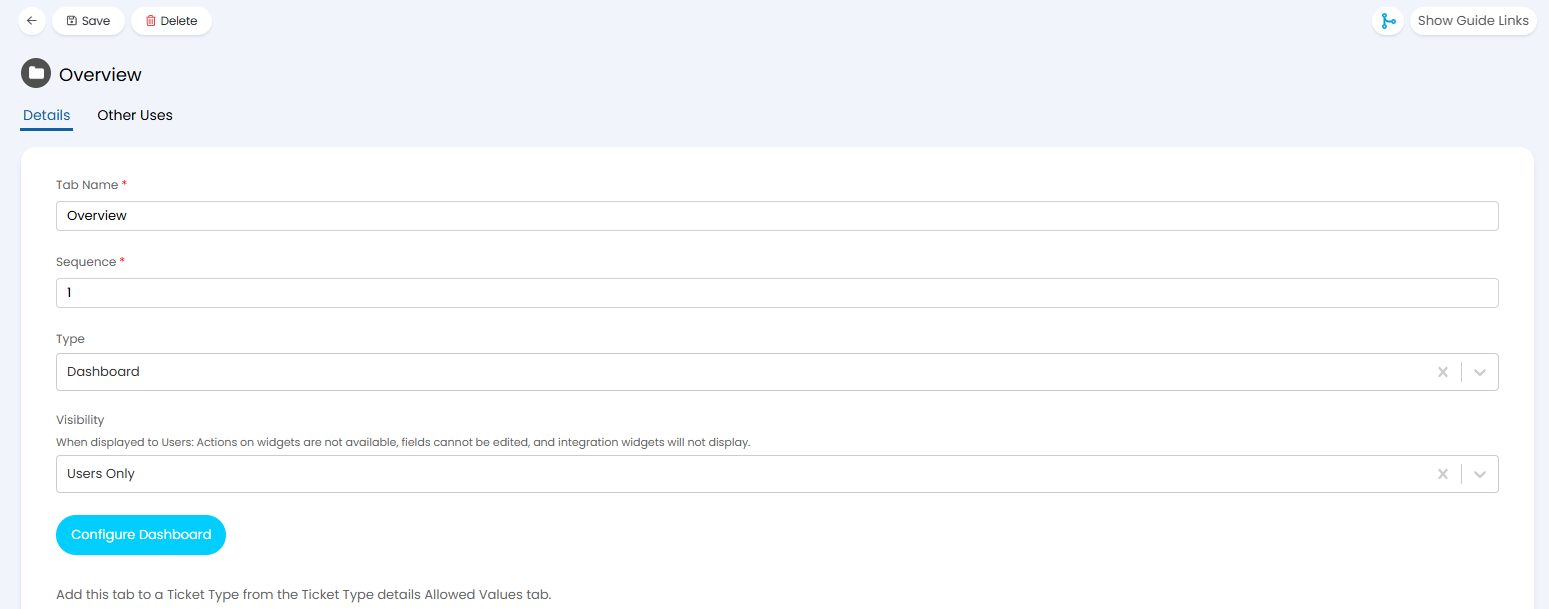
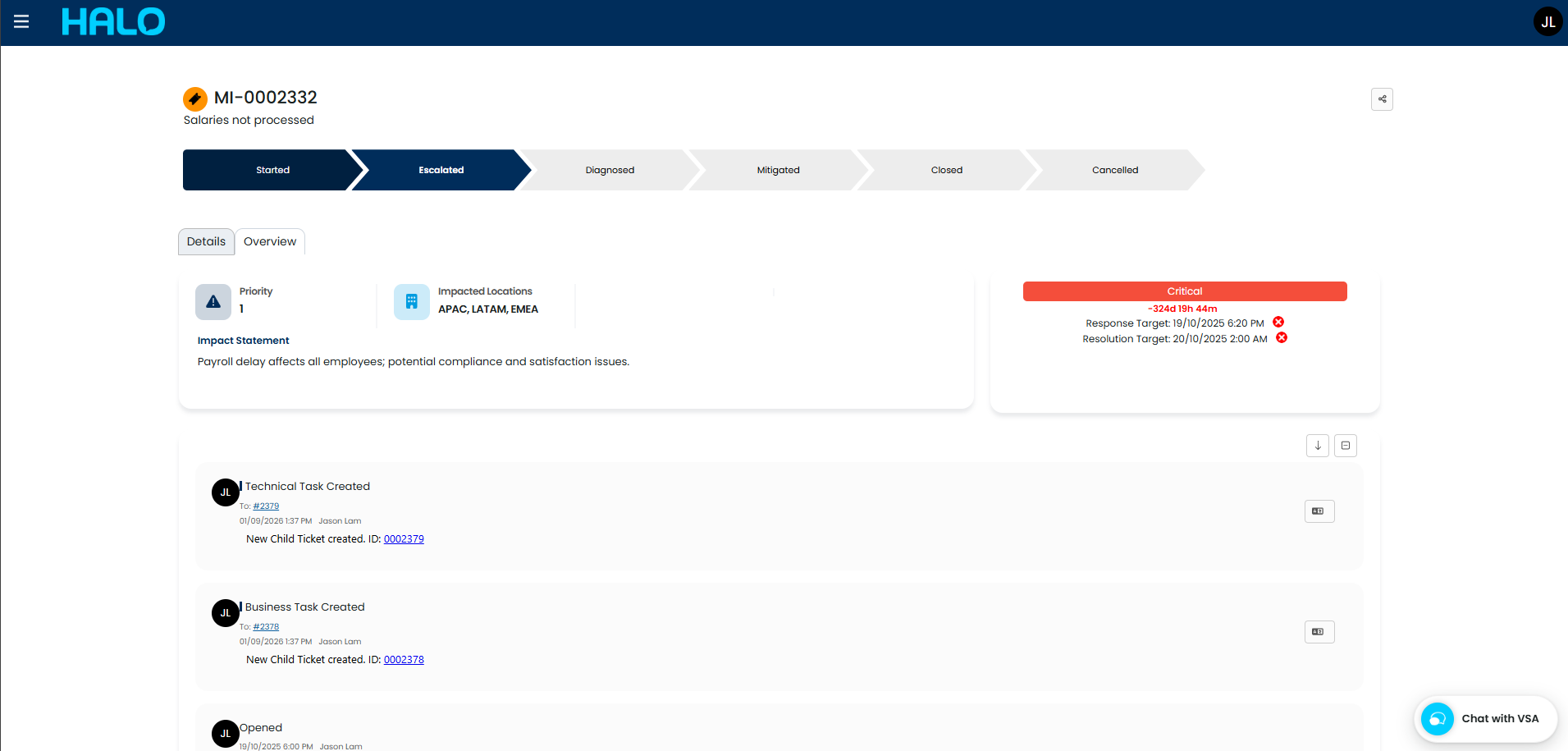
For tickets raised through the portal, column profiles can now be displayed as dashboards, with all agent application widgets supported. Custom dashboard tabs on tickets can be configured to show to agents, users, or both, giving administrators control over which information is surfaced to end users on their ticket views.
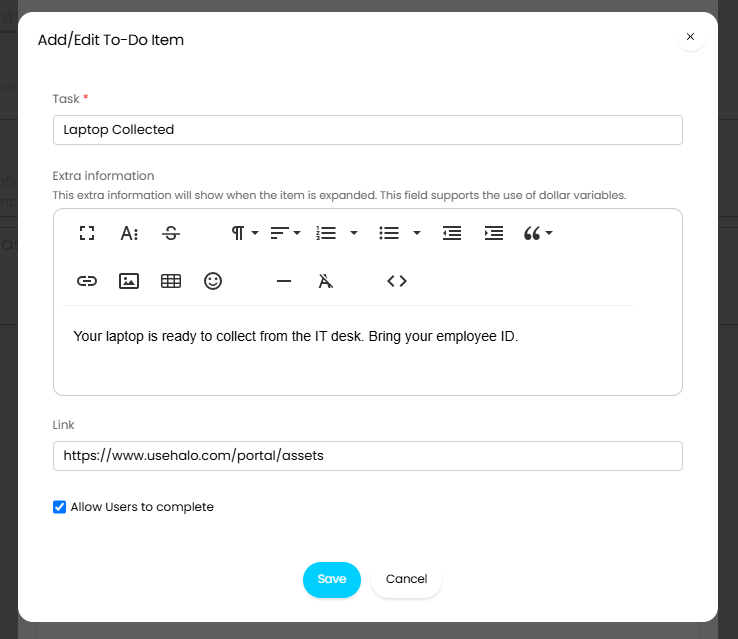
Our enhanced To-do list items can now carry an optional link, visible to both agents and users when completing the item. This makes it possible to direct users to a form, document, or resource as part of a structured process.
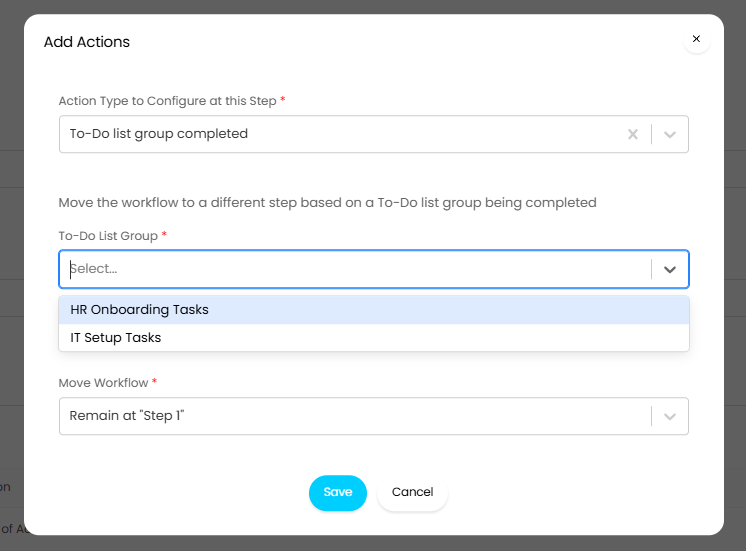
Where a ticket type shows to-do lists to users, it is also now possible to allow users to complete items themselves. The ‘User To-Do List Completion’ setting has three options: Not Allowed, Always Allowed, or ‘Can specify per to-do item’, which allows completion permissions to be set on individual items when adding them to a ticket.
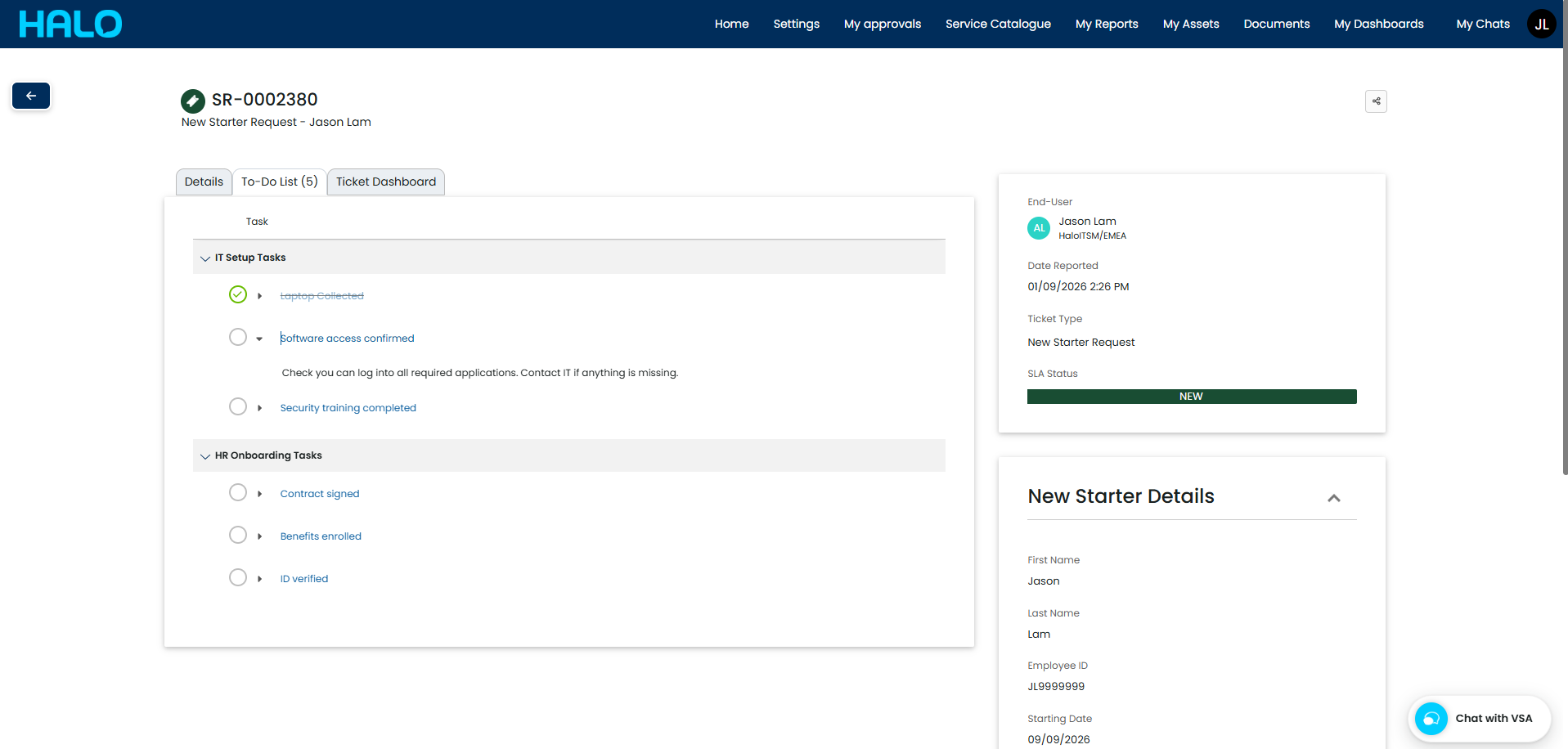
Completion permissions set on to-do list groups and templates carry over to tickets, though the ticket-level setting will override the template if set to Always Allowed or Not Allowed. When a user completes a to-do list or group, the corresponding workflow actions can be triggered to advance the workflow.
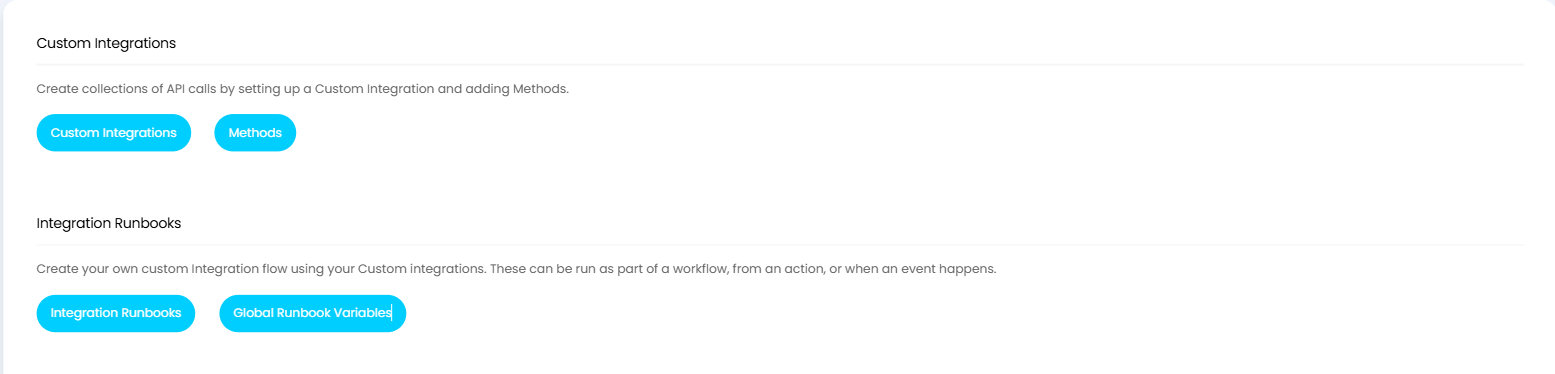
In this release, we have introduced a global list of runbook variables, making frequently used values available across any runbook. Updating a global variable applies the change everywhere it is referenced, removing the need to update individual runbooks. Global variables are config tracked and can be synchronised between instances.
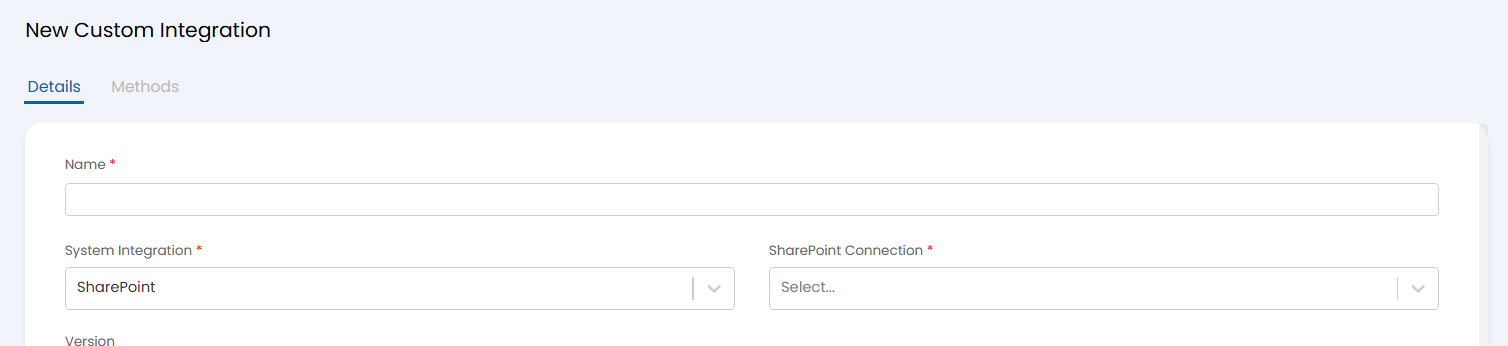
In addition to the above runbook enhancement, SharePoint connections using the authorisation code authentication method can now be used within custom integrations, extending the scenarios where SharePoint data can be incorporated into Halo workflows and vice versa.
On top of that, configuration item relationship changes are now included as part of the event type ‘Configuration Item Updated’. When a configuration item’s relationships are updated, this can be detected and used to fire the appropriate notification or automation.
When viewing an event rule, a new tab now shows all events that have matched that rule, giving administrators visibility of rule activity without needing to query separately.
A new setting ‘Determine the ticket user from the asset’s user’ has been introduced to use the user associated with a matched asset as the ticket user. If no asset is matched or the asset has no user, the existing settings are used as a fallback.

Events can now also be posted using query parameters rather than a JSON body, with values accessed using the request^property_name syntax.
In this release, service statuses can be displayed as a widget, available to both agents and end users. When placed on a ticket dashboard, the widget automatically shows the statuses of services linked to that ticket. The same configuration options available in the Self-Service Portal settings for controlling which service statuses to display are also available per widget.
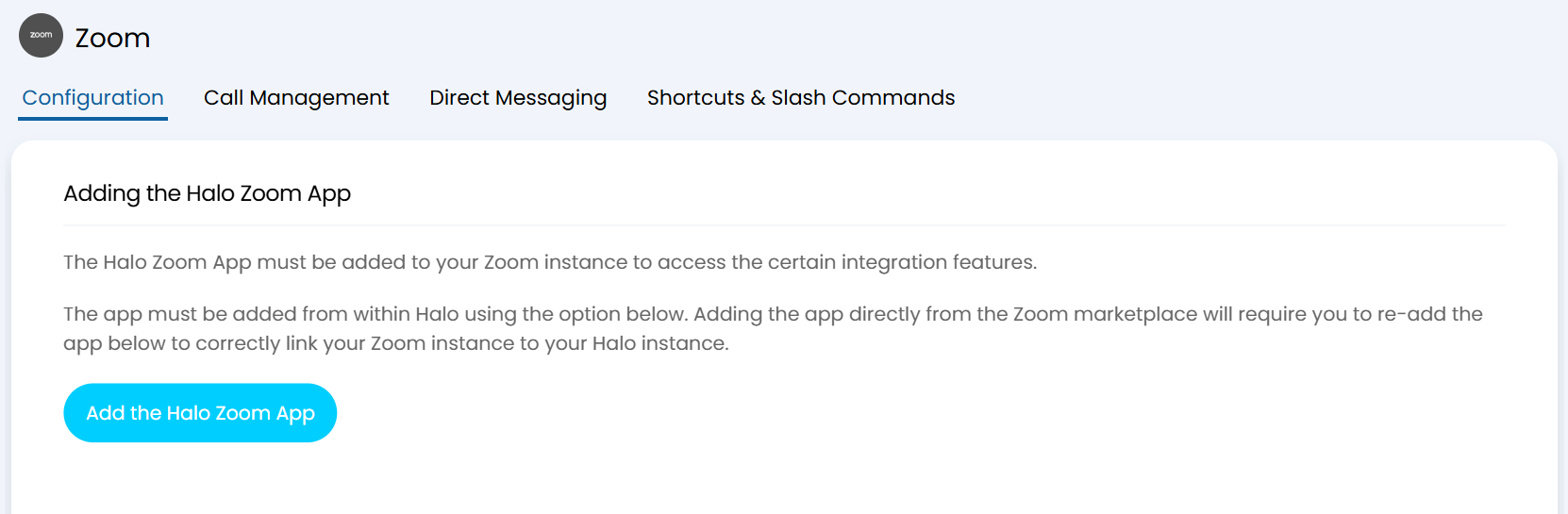
A new Halo app is now available to install into your Zoom instance, giving agents the ability to perform Halo tasks directly from within Zoom Workspace. The app is installed by completing the sign-in process from within Halo.
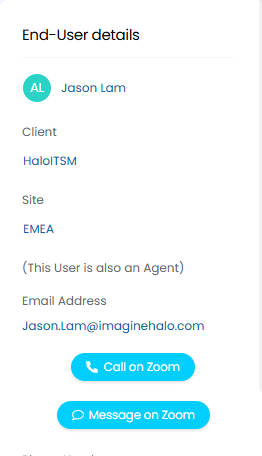
The app introduces two areas of functionality. Direct Messaging allows agents to message a user in Zoom directly from a ticket. A ‘Message on Zoom’ option appears on the ticket beneath the user’s email address, opening an input window to compose and send the message.
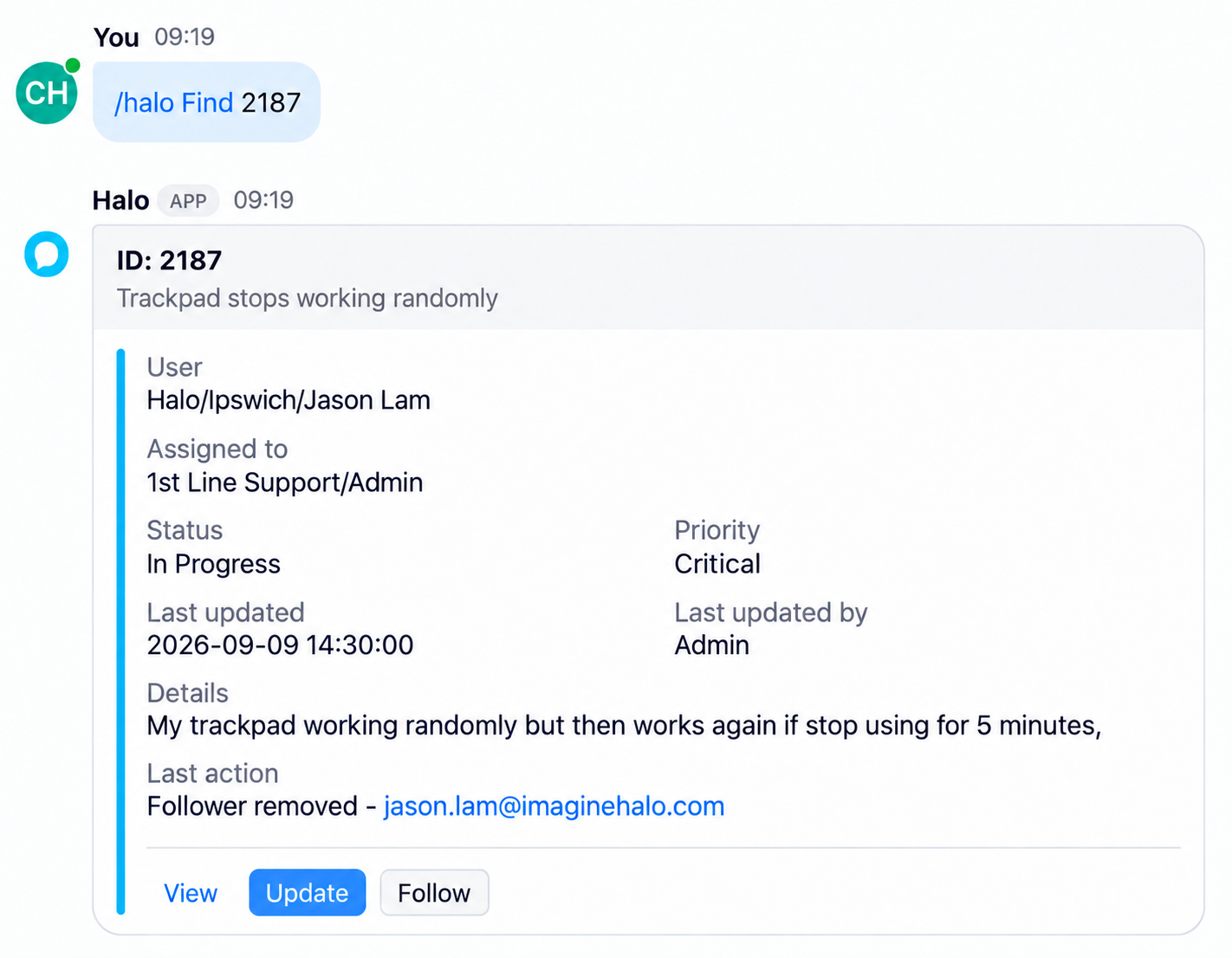
Shortcuts and Slash Commands are also available once the app is installed. Each agent signs into their Halo account using the /halo Connect command, after which the following commands are available: /halo Follow and Unfollow to manage ticket followers, /halo Create to raise a new ticket, /halo Update to add a note and update ticket status, /halo Find to retrieve basic ticket information with action buttons to view, update, or follow, and /halo Disconnect to sever the connection. Message shortcuts are also available, allowing agents to create a ticket directly from a Zoom message they have received.
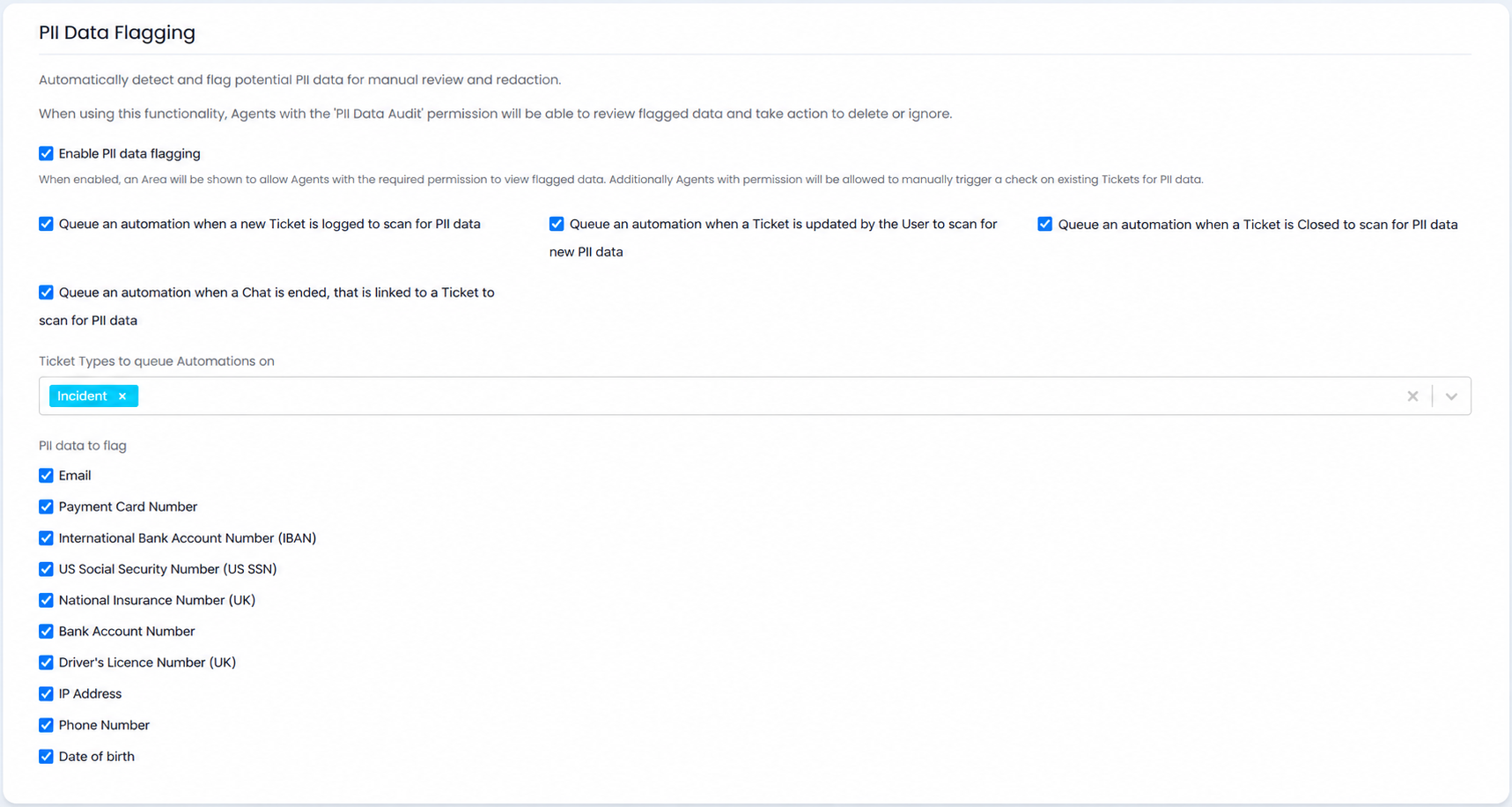
A new set of privacy enhancements are available to help identify and redact potential PII within tickets and chats. The feature is enabled under Configuration > Users > General Settings, where you can also configure automations to scan for PII on specific events and the ticket types these should apply to.
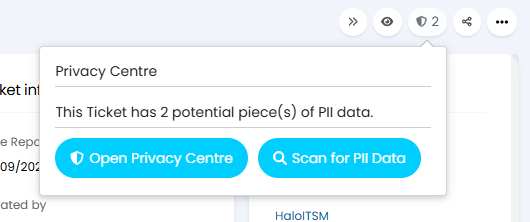
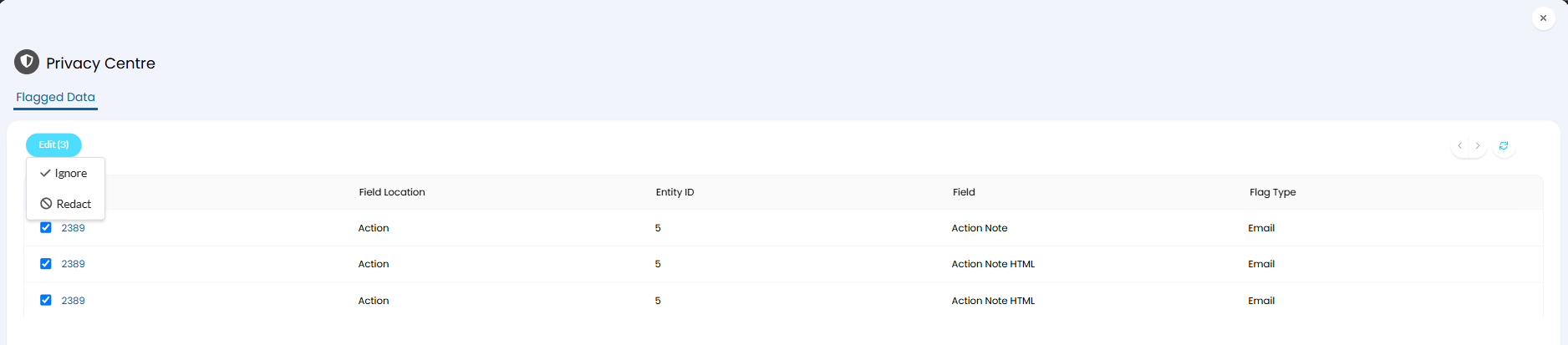
Once enabled, a shield icon appears on tickets showing the number of active PII detections. Hovering over the icon allows a manual scan to be triggered, or the Privacy Centre can be opened to view flagged data. From there, items can be multi-selected for redaction or dismissal, or individual detections can be reviewed in detail before acting. After redaction, flagged data is replaced with the type of data detected. Redaction is permanent and cannot be undone.
A Privacy Centre module is also available in the navigation, providing a list of all tickets with active PII detections and an audit log of redact and ignore history. The following fields are scanned: ticket details and details HTML, action notes, note HTML, email body and email body HTML, and chat message and chat message HTML.
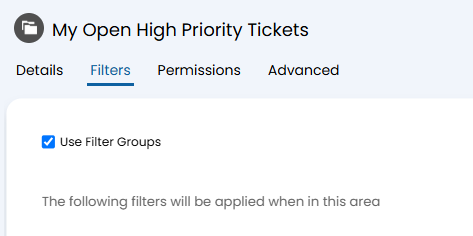
Ticket Areas now support criteria groups, allowing you to filter and retrieve tickets that match specific combinations of conditions. This brings the same criteria group functionality available elsewhere in the platform to ticket areas, giving administrators more precise control over which tickets are surfaced in each area.
A new ‘Follower’ notification type has also been added, along with two new event triggers: Follower Added and Follower Removed. These allow notifications or automations to fire when a follower is added to or removed from a ticket.

The date when a ticket breaches its SLA can now be stored in dedicated database columns, enabling more precise breach reporting and analysis. The setting ‘Store the date when an SLA is breached’ is enabled per ticket type.

Once active, breach dates are recorded in the FaultsMetrics table with separate columns for response and resolution breaches. This data can be queried via SQL or returned through the API using the ‘includemetrics’ query parameter.
It is now possible to book multiple assets simultaneously using resource booking. The maximum number of assets bookable in a single booking is configured per booking type using the ‘Maximum number of assets to book’ setting.
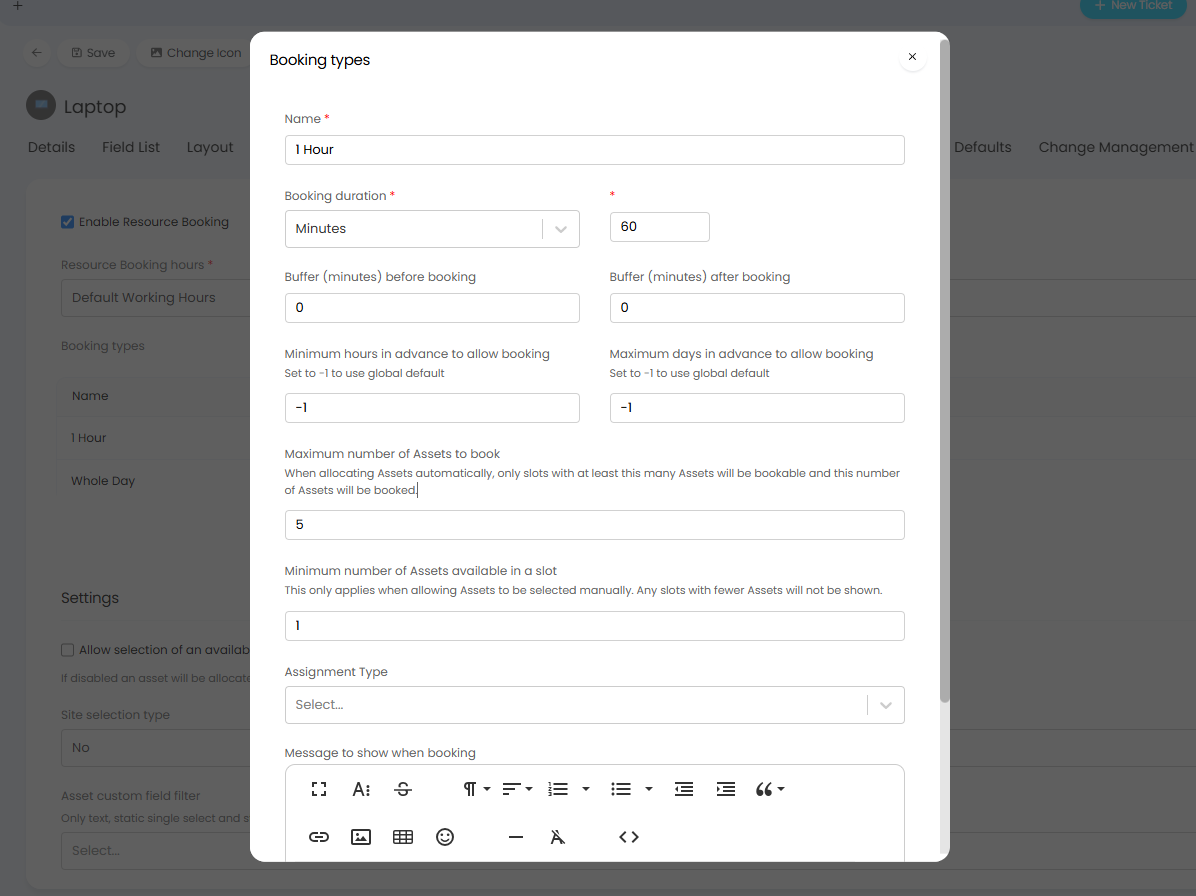
When asset selection is not enabled, only slots with at least the configured maximum available will be shown, and the full maximum is allocated automatically. When asset selection is enabled, a ‘Minimum number of assets available in a slot’ setting controls which slots are displayed, and users can then select up to the configured maximum.
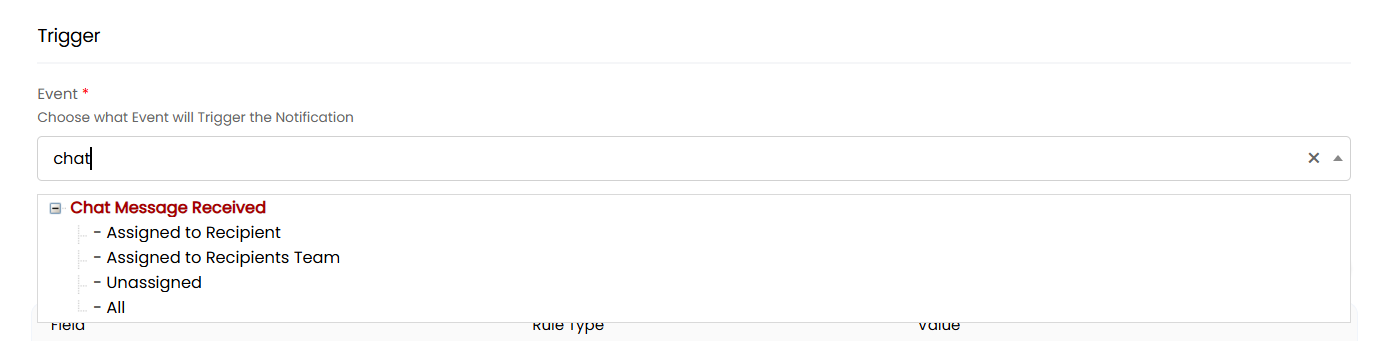
A new ‘Chat Message Received’ notification event type allows agents to be notified when a new message arrives on a ticket through Microsoft Teams or Slack, making it easier to stay across ticket conversations happening in chat channels without needing to monitor them separately.


For further information and to see all new features, click the question mark in the top right of your screen, then select ‘Show Release Details’.
To find out more about future developments, look at our roadmap here!
If you’d like to speak to one of our team about specific features, or have any more specific questions, please contact your Customer Success Manager or feel free to contact us and we will get in touch as soon as we can!